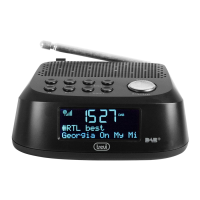
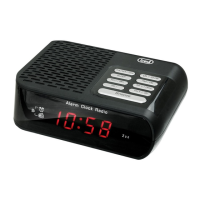
RC 85D8 DAB
English
Installation
Insert the plug of the supplied power adapter into the power supply socket (13) and
connect the power supply to a 110-230V ~ 50/60Hz power socket.
OPERATION
Power On/ Standby:
1. Press Stand-by/ MODE (3) button to switch On the unit;
2. Press and hold for 2 seconds Stand-by/ MODE (3) button to put the unit in
Stand-by mode (the display shows time and date).
Volume adjustment
Turn the knob VOLUME/SCROLL/ENTER/SNOOZE (6) to increase or decrease the
volume.
Time Setting
The time will be set automatically by turning on the device in DAB mode, if you
want to set it manually:
1. Press Stand-by/ MODE (3) button to switch on the appliance;
2. Hold down the MENU/ INFO button (5) for 2 seconds;
3. Turn the VOLUME/ SCROLL knob (6) and select “System”; press the VOLUME/
SCROLL knob (6) to select it;
4. Turn the VOLUME/ SCROLL knob (6) and select “Time”; press the VOLUME/
SCROLL knob (6) to select it;
5. Turn the VOLUME/ SCROLL knob (6) and select “Set Time/Date”; press the
VOLUME/SCROLL knob (6) to select it;
6. urn the VOLUME/ SCROLL knob (6) to adjust the hour and press the VOLUME/
SCROLL knob (6) to confirm it and go to setting the minutes;
7. Also adjust the date using the VOLUME/ SCROLL knob (6).
Setting Alarm
To set alarm 1 or 2, follow the next steps:
1. In clock mode (Stand-by), press and hold for 2 seconds MENU/ INFO button (5);
select “System” and press the VOLUME/ SCROLL knob (6) to conrm;
2. Turn the VOLUME/ SCROLL knob (6) and select the “Alarm” item, press it to
select it;
3. Turn the VOLUME/ SCROLL knob (6) and select “Alarm 1” or “Alarm 2”, press it to
conrm;
4. urn the VOLUME/ SCROLL knob (6) to adjust the hour and press it to conrm it
and move on to the minute setting;
5. Turn the VOLUME/ SCROLL knob (6) to adjust the duration and press to
conrm;


 To Next Page