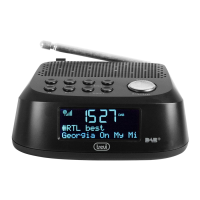
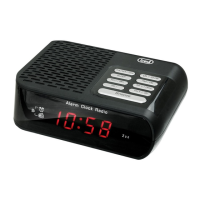
RC 85D8 DAB
6. Turn the VOLUME/ SCROLL knob (6) to select the ringtone type (FM, DAB or
BUZZER) and press it to conrm it;
7. Turn the VOLUME/ SCROLL knob (6) to select the frequency (once, daily, weekly,
weekend only) and press it to conrm;
8. Turn the VOLUME/ SCROLL knob (6) to adjust the start date and press to
conrm it;
9. Turn the VOLUME/ SCROLL knob (6) to adjust the volume and press it to
conrm;
10. Rotate the VOLUME/ SCROLL knob (6) to activate or deactivate the alarm and
press it to conrm.
Once the alarm is activated, the bell symbol will appear on the display with the
number 1 for the rst alarm and number 2 for the second alarm.
Turn off the alarm
To stop the alarm completely (ringtone or radio) press Stand-by/ MODE (3) button.
To temporarily stop the alarm sound, press the VOLUME/ SCROLL knob (6); the
interruption lasts 9 minutes, after which the alarm goes back on.
DAB/DAB+ Radio
Automatic Storage
1. Adjust the antenna extension and the angle to get the best reception;
2. Press and hold the PRESET/ SCAN button (4) for a few seconds to start the
automatic scan of the DAB stations. During the scan, the display will show the
progress bar and the number of stored stations;
3. Hold down the P+/ TUNE+ key (7) or the P-/ TUNE- key (8) for a few seconds,
turn the VOLUME/ SCROLL knob (6) to select the desired station; press the
VOLUME/ SCROLL knob (6) to conrm and start listening to the station.
Note:
- It may be necessary to wait a few seconds for the unit to tune to the new channel.
- In DAB mode the date and time of the device are synchronized with those of the
station being listened to.
Manual Scan
1. Hold down the MENU/ INFO button (5) for 2 seconds;
2. Turn the VOLUME/ SCROLL knob (6) and select the “Manual Tune” item, press
the VOLUME/ SCROLL knob (6) to select it;
3. Turn the VOLUME/ SCROLL knob (6) to select the desired channe (5A-13F),
press the VOLUME/ SCROLL knob (6) to select it.
Note: Up to 30 stations can be stored. A stored frequency can be erased from the
memory by storing another frequency in its place.
DAB/DAB+ information
In DAB function press the MENU/ INFO button (5) repeatedly to change the infor-
mation displayed:
English


 To Next Page