28
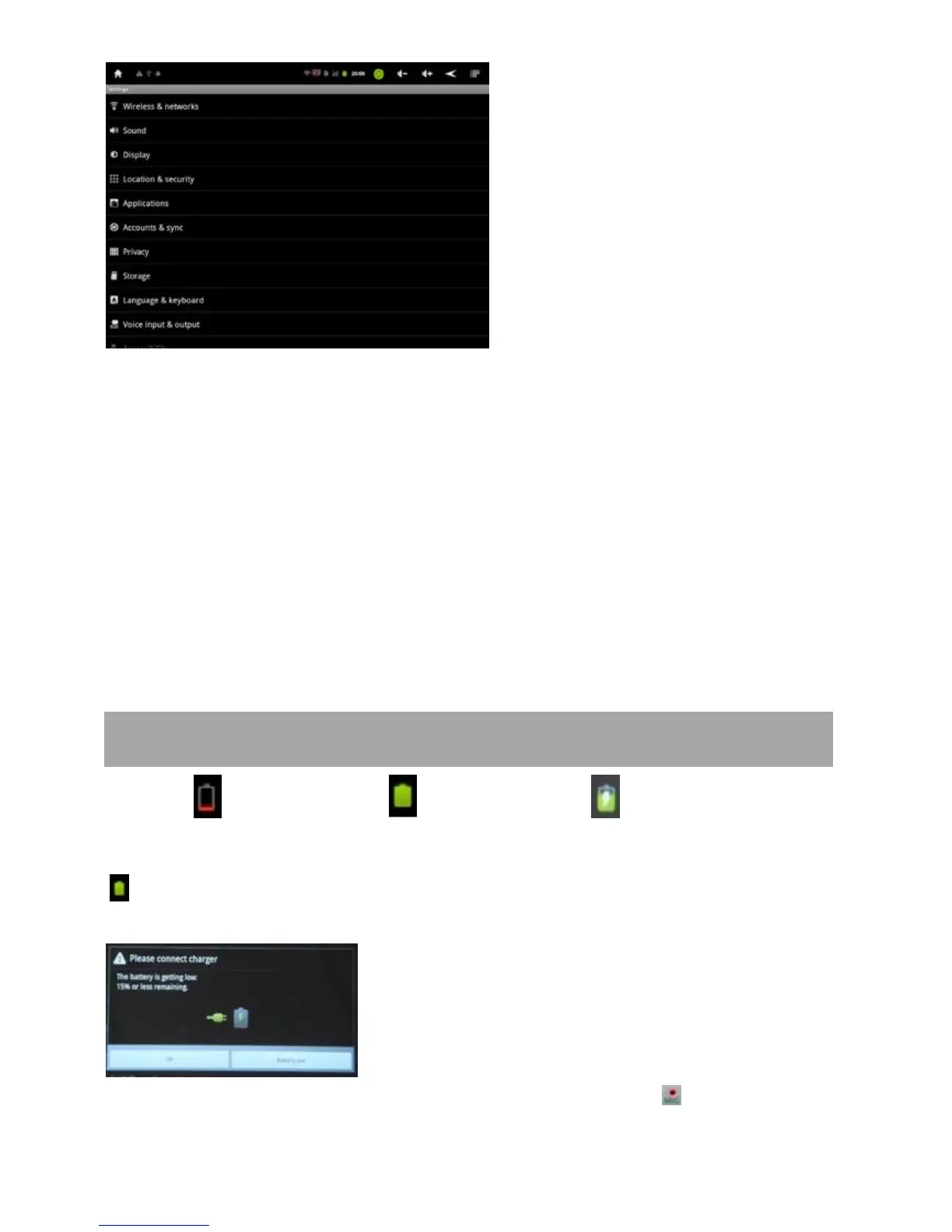
What being set here includes Wireless & networks, Sound, Display, Location & Security, Applications, Accounts
& sync, Privacy, Storage, Language & keyboard, Voice input & output, Accessibility, Date & time and About
phone.
For example, to set Display:
Under “Settings”, tap “Display” to set Brightness, Accelerometer coordinate system, Animation and Screen
time-out.
The display has a screen timeout by default set to 1 min. If the unit is left inactive for that period of time, the
screen will go dark as if turned off. However, it is simply in standby mode. Pull the power button left to bring up
the Lock Screen.
VII. Battery
Very Low Battery Full Battery Charging Battery
‘
’ indicates that the power of Battery is full. When the battery level becomes too low, a prompt comes up to
note you to charge your tablet.
The tablet can be charged with AC adaptor when it is on or off. There will be red light in MIC hole during
charging. It turns off when fully charged.


 To Next Page