EasyManua.ls Logo

Trevi XCD 5760 USB - User Manual

Trevi XCD 5760 USB
40 pages
Go to English
Print Icon
To Next Page IconTo Next Page
Loading...
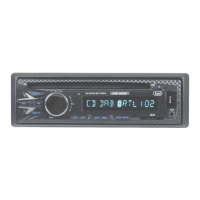
XCD 5760 USB
MP3 / CD / CD-RW / SD / USB / AUX-IN
USB
SD CARD IN
AUX-IN
RADIO RIPRODUTTORE CD/MP3 RDS
CON INGRESSO AUX-IN USB E SD CARD
Manuale d'uso e collegamento
RDS SYSTEM CAR-STEREO CD/MP3 PLAYER
WITH AUX-IN USB IN AND SD CARD
Instruction manual
RADIO LECTEUR CD/MP3 RDS
AVEC AUX-IN USB SD CARD
Mode d’emploi
RDS RADIO-CD/MP3-SPIELER EINZUG AUX-IN
USB SD CARD
Gebrauchs- und Anschlußhandbuch
RADIO REPRODUCTOR CD/MP3 RDS
CON ENTRADA AUX-IN USB SD CARD
Manual de uso y conexiones
RADIO REPRODUCTOR CD/MP3 RDS
COM ENTRADA AUX-IN USB SD CARD
Manual de uso e ligação
RADIOFWNO, ANAPARAGWGEAS RDS
Odhg…ej cr¾sewj kai sÚndeshj
Manuale d'uso e collegamento
Instruction manual

Questions and Answers

  • R
    Richard StantonAug 14, 2025
    Why is there no sound coming from my Trevi XCD 5760 USB?
    • T
      Tanya IngramAug 14, 2025
      If there's no sound from your Trevi Car Receiver, it could be that the volume is set too low. Try turning up the volume. Also, check the power and earth connection according to the wiring diagram to ensure the device is correctly connected.
  • S
    Stephanie JimenezAug 18, 2025
    What to do if my Trevi XCD 5760 USB operation keys do not work?
    • H
      hilljeffreyAug 18, 2025
      If the operation keys on your Trevi Car Receiver aren't working, try switching the device off and on again. Alternatively, press the RESET button to resume the program. Also, make sure the front panel is properly fixed into its place; if not, reinstall it.
  • C
    christopherloganAug 21, 2025
    How to fix Trevi XCD 5760 USB Car Receiver when there is no power?
    • J
      Jessica EdwardsAug 21, 2025
      If your Trevi Car Receiver has no power, the car ignition may be switched off. If the power supply is properly connected to the car accessory, switch the ignition key to "ON" or " ACC ". Also, check the fuse; if it has blown, replace it with another fuse according to the wiring diagram.
  • M
    martincharleneAug 25, 2025
    Why does the sound of my Trevi Car Receiver CD player skip?
    • K
      Kelly PerezAug 25, 2025
      If the sound of your Trevi Car Receiver CD player skips, the installation angle might be more than 30 degrees. Adjust the installation angle to less than 30 degrees. The surface of the road may be uneven, wait until the road becomes smoother before playing the CD. Also, the surface of the CD might be extremely dirty or damaged; clean the CD or try another CD to see if that resolves the issue.
  • J
    Joshua EllisAug 27, 2025
    What to do if my Trevi XCD 5760 USB Car Receiver does not work correctly (EJECT, LOAD, PLAY)?
    • I
      igonzalesAug 27, 2025
      If your Trevi Car Receiver isn't working correctly (EJECT, LOAD, PLAY), ensure the disc is inserted with the label facing upward. If the surface of CD is extremely dirty or it is damaged, clean the CD or try another CD. Finally, if the temperature inside the car is too high, cool off until the ambient temperature returns to normal.
  • N
    Nicole MurilloAug 31, 2025
    Why is there no radio reception on my Trevi XCD 5760 USB?
    • W
      wilsonangelaAug 31, 2025
      If you're not getting any radio reception on your Trevi Car Receiver, the antenna cable may not be connected. Ensure the antenna cable is firmly inserted into the antenna socket of the device.
  • M
    Michaela CookSep 3, 2025
    What to do if CDs cannot be loaded into my Trevi XCD 5760 USB?
    • M
      martinezdarleneSep 3, 2025
      If CDs cannot be loaded into your Trevi Car Receiver, it might be due to the presence of a CD disc inside the player. Remove the disc in the player then put a new upward.
  • A
    Amanda JacksonSep 7, 2025
    What to do if my Trevi Car Receiver in automatic search mode the radio does not stop at a transmitting station?
    • A
      Angela WeaverSep 7, 2025
      If, in automatic search mode, the radio on your Trevi Car Receiver doesn't stop at a transmitting station, the transmission signals may be too weak. Try tuning in to a radio station manually.
  • D
    Debra DouglasSep 10, 2025
    Why are the CDs loaded only halfway into the CD tray of my Trevi XCD 5760 USB?
    • S
      spencer65Sep 10, 2025
      If CDs are loaded only halfway into the CD tray of your Trevi Car Receiver, it's likely that the transport screws haven't been removed. Remove the transport screws before using.

Summary

Wiring Connections Overview

RCA and Antenna Jack Details

Pinouts and diagrams for RCA audio outputs and antenna connection.

ISO Connector Pin Assignments

Detailed pin assignments for power, speakers, and other functions via ISO connector.

Location and Function of Controls

Front Panel Button and Display Functions

Explains the purpose and operation of all buttons and the LCD display on the front panel.

Menu, Audio, and Mode Operations

Details on accessing menus, adjusting volume, bass, treble, and mode selections like TA, AF.

Car Stereo Installation Guide

Anti-Theft Mounting Sleeve Procedure

Step-by-step instructions for installing the metal mounting sleeve and securing the unit chassis.

CD Playback Care and Tips

Disc Handling and Maintenance Advice

Best practices for handling, cleaning, and storing CDs to ensure optimal playback performance.

Troubleshooting Common Issues

Problem Diagnosis and Solutions

A guide to identifying and resolving common operational problems with the car stereo.

Technical Specifications

Device Performance and Dimensions

Lists key technical data including power output, frequency ranges, dimensions, and compatibility.

Product Disposal and Environmental Notes

Correct Waste Disposal Instructions

Guidelines for environmentally responsible disposal of the car stereo unit.

Declaration of Conformity

Trevi XCD 5760 USB Specifications

General IconGeneral
Supported radio bandsFM
EqualizerYes
USB portYes
AUX inYes
Card readerYes
Card compatibilitySD, MMC
MP3 playbackYes
Maximum memory card size32 GB
Display typeLCD

Related product manuals