EasyManua.ls Logo

Tria smoothbeauty laser - User Manual

Tria smoothbeauty laser
4 pages
Print Icon
To Next Page IconTo Next Page
Loading...
TAKE OUR ADVICE
PRACTICE IN A MIRROR
Perfect your technique by using your device in front of a mirror.
The purple light will glow when you are treating correctly.
INCREASE YOUR TREATMENT LEVEL FOR BEST RESULTS
Some women feel a slight stinging or warming sensation
during treatment. This is normal and will diminish. To help
your skin adjust, start on Training Level 1, Increase to
Treatment Level 2, then Treatment Level 3 for best results.
MAKE IT A NIGHTLY BEAUTY RITUAL
For best results, treat skin in the evening to allow
any redness to diminish.
WEAR SUNSCREEN
Make it a routine to apply a broad-spectrum
sunscreen in the morning and reapply
during the day.
SMOOTHBEAUTY™ LASER
Quick Start Guide
©2017 Tria Beauty, Inc. 4160 Dublin Blvd., Suite 200, Dublin, CA 94568 USA
All rights reserved. SmoothBeauty™ is a trademark of Tria Beauty, Inc. Tria, Tria Beauty and the Tria logo
are registered trademarks of Tria Beauty, Inc. Protected by patent(s). See triabeauty.com/legal.
Refer to the Instructions for Use booklet for complete information about
the Tria SmoothBeauty™ Laser, including warnings and indications for use.
Tria Beauty, Inc.
4160 Dublin Blvd., Suite 200
Dublin, CA 94568 USA
TRIA BEAUTY CUSTOMER CARE
877-321-8742
customercare@triabeauty.com
triabeauty.com
13277C
GET TO KNOW YOUR SMOOTHBEAUTY™ LASER
POWER SUPPLY AND CORD
Connects the charging cradle
to a power outlet
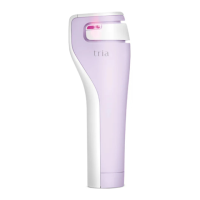
SmoothBeauty Laser
Display
CONTACT LIGHT
Glows purple to indicate
proper skin contact
CHARGING CRADLE
Charges the device
when not in use
LASER TREATMENT TIP
Emits wrinkle-targeting laser
light during treatment
DEVICE LOCK INDICATOR
Lights if the device is
locked, turns off if the
device is unlocked
TREATMENT COMPLETION
INDICATOR
Lights when treatment
is complete
POWER BUTTON
Turns the device on/off and
adjusts the treatment level
DEVICE FAULT INDICATOR
Lights if there is a device
fault/error
TREATMENT LEVEL INDICATOR
Shows the selected
treatment level
BATTERY INDICATOR
Lights when battery is low,
flashes when charging, turns off
when charging is complete
Question and Answer IconNeed help?

Do you have a question about the Tria smoothbeauty laser and is the answer not in the manual?

Summary

Get to Know Your SmoothBeauty Laser

Device Components and Indicators

Details the various components and indicators of the SmoothBeauty Laser device, such as contact lights, indicators, and treatment tips.

Advice for Optimal Use

Practice in a Mirror

Practice using the device in front of a mirror for correct technique and skin contact.

Increase Treatment Levels

Gradually increase treatment levels for optimal results as skin adjusts.

Nightly Beauty Ritual

Treat skin in the evening for best results and to allow redness to diminish.

Sunscreen Application

Apply broad-spectrum sunscreen daily to protect treated skin.

Before First Treatment and How to Treat

Initial Device Charging

Charge the laser until the battery indicator turns off, indicating a full charge.

Treatment Steps and Safety

Instructions for turning on, setting levels, treating zones, and eye safety precautions.

Treat the Full Face by Zone

Treatment Zones and Timing

Guidance on dividing the face into zones and approximate treatment times per setting.

Treatment Levels

Information on the available treatment levels: Training Level 1, Treatment Level 2, and Treatment Level 3.

Boost Your Regimen

Priming Cleanser

Use the cleanser to prepare skin for laser treatment, promoting exfoliation and hydration.

Finishing Serum

Apply serum post-treatment to soothe, hydrate, and improve skin elasticity and fine lines.

Tria smoothbeauty laser Specifications

General IconGeneral
TechnologyDiode Laser
Power SourceRechargeable Battery
FDA ClearedYes
Wavelength810 nm
Charging TimeApproximately 2 hours
Device TypeLaser Hair Removal
Treatment AreasFace
Skin Tone CompatibilityFitzpatrick skin types I-IV
Treatment TimeVaries by Treatment Area
Hair Color CompatibilityBrown or Black
Battery LifeUp to 30 Minutes Per Charge

Related product manuals