30
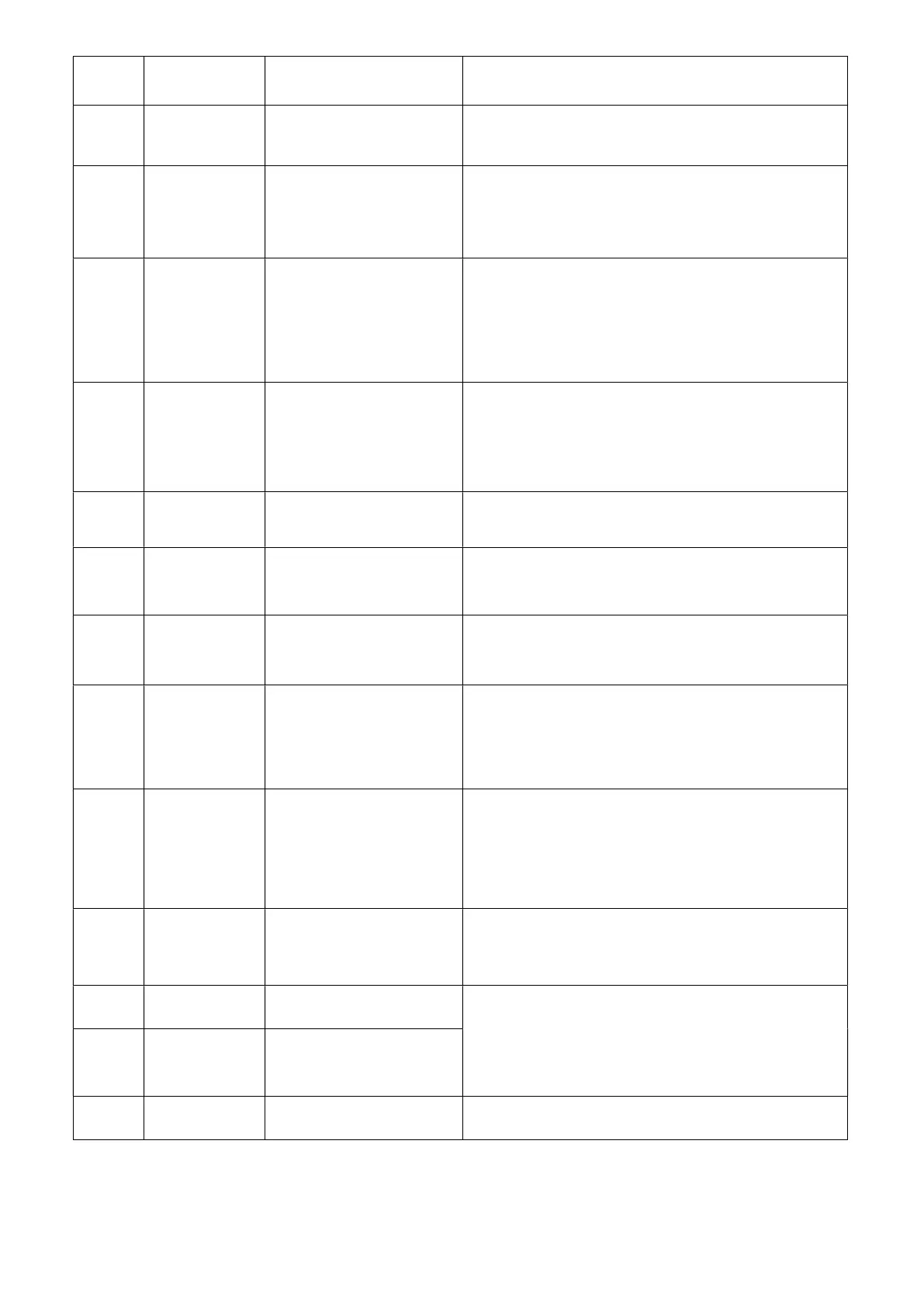
Error
Code
Error Name
Relevant parts information
Review and resolve
F10
Communication
Failure between
DSP and PFC
Only in single phase unit.
1. Check the inverter board connection.
2. If no problem, replace a new compressor driver board.
F11
Communication
Fault between
DSP and
Communication
board
1. Please check the inverter board connection.
2. If no problem, please replace a new compressor driver
board
F12
Communication
failure between
PCB and driver
board
1. Check the connection between main control
board and compressor driver board. All of 12V-12V,
GND-GND, A-A, B-B should be closed.
2. If they are closed, turn on the power, then measure the
voltage between 12V and GND on compressor driver
board, if higher than 15V or lower than 7V, please replace
a new one compressor driver board.
F13
IPM Overheat
Stop
1. Check if the fans are running or not.
2. Check the installation distance and space.
3. Leave enough distance and space to make heat pump
have a good transfer heating condition.
4. Clean the heat exchanger fins.
5. If they are OK, replace a new compressor driver board.
F15
Input voltage
Lacking Phase
1. Check the phase of power supply R/S/T to compressor
driver board.
2. If it’s OK, replace a new compressor driver board.
F16
Compressor
weak magnetic
protection
alarm
1. Check the refrigeration system.
2. If it’s OK, replace a new compressor driver board.
F17
Temperature fault
of drive board
1. Check the connection of heat sink temp. sensor.
2. Check the resistance of heat sink temp. sensor.
3. If they are OK, please replace a new heat sink and heat
sink temp. sensor.
F18
IPM Current
Sampling Fault
1. Check ambient temp. and inlet/outlet water temp.
2. Check high/low pressure and discharge temp. and suction
temp.
3. Check EEV step.
4. Check the compressor frequency and current.
5. If they are OK, replace a new compressor driver board.
F20
IGBT Power
Device Overheat
Alarm
1. Check if the fans are running or not.
2. Check the installation distance and space.
3. If they are OK, please replace it with a new compressor
driver board.
4. Leave enough distance and space to make heat pump
have a good transfer heating condition.
5. Clean air to fin heat exchanger.
F22
AC input over
current
protection
alarm
Only in single phase unit. Restart the unit.
1. Check if there is electric leakage.
2. If still have the failure, replace a new drive board.
F23 EEPROM Fault
Alarm
1. Check the connection.
2. Replace a new driver board;
F24
Destroyed
EEPROM
Activation Ban
Alarm
F25 LP 15V Under
load Fault
1. Check if the power supply is stable or not, and restart unit.
2. If the problem still on, please replace a new drive board.


 To Next Page
 Loading...