30
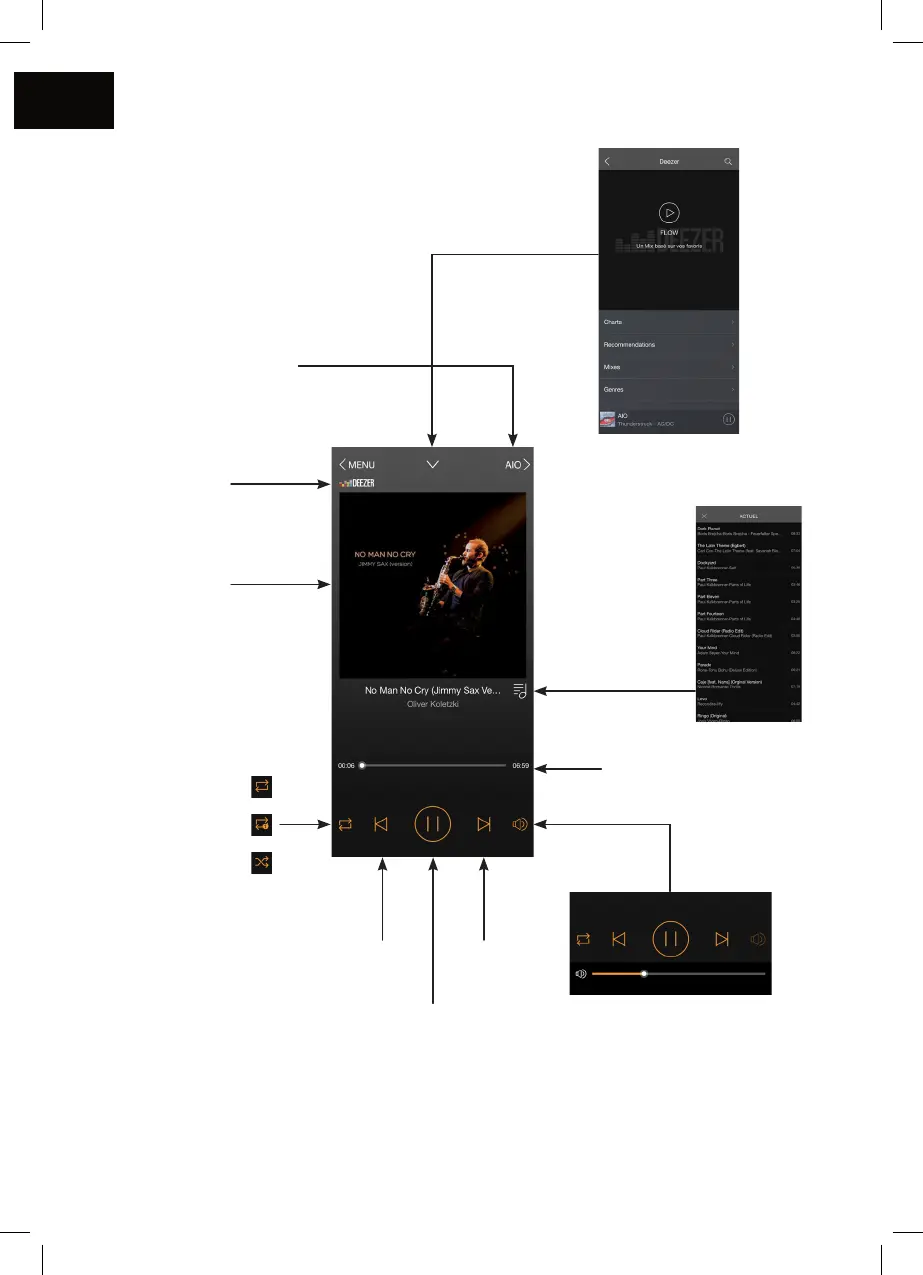
1. Playback screen
Go back to the
previous screen
Audio source
Device on which the
music is played
Album cover
Repeat all
Repeat one
Shufe play
Previous
track
Next
track
Play / Pause
Track progress bar
Playlist by title
Caution: If you change the
volume using the buttons on
your mobile device, there may
be some latency and large
increments. For ne adjustments,
use the screen of the app.
Track
progress bar



 To Next Page