EN
|04
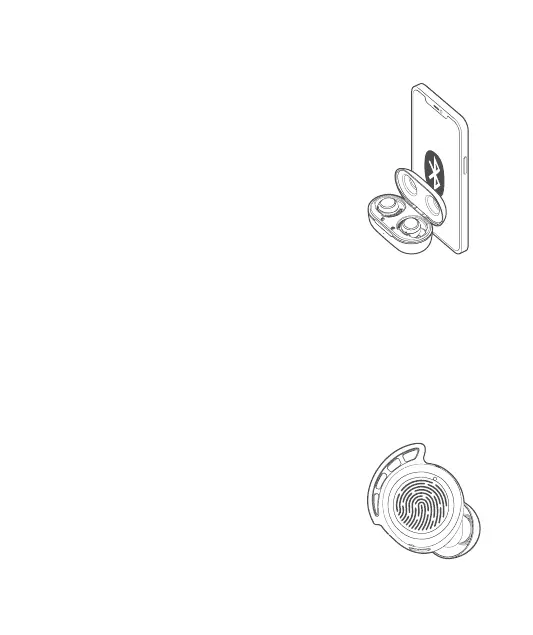
Connect the earbuds to a Bluetooth device
Open the charging case or remove the earbuds from the
case, then the earbuds will automatically enter Bluetooth
pairing mode.
For the rst time use, please activate the Bluetooth function
on your Bluetooth device and search for other Bluetooth-
enabled devices, then select the device named “FlyBuds
3mini” to start connection. After that, the earbuds will
automatically connect to the last connected device.
Play/Pause Music:
double click on either earbud.
Answer/End a Call:
double click on either earbud.
Next Track:
click for 3 times on either
earbud.
Reject an Incoming Call:
Press and hold for 2s on the
touch area of either earbud.
Activate the Voice Assistant:
Press and hold the touch area
of either earbud for approx.
2 seconds and release it until
you hear a prompt tone.
Connect the earbuds with other devices as the following 2 ways:
a. Disconnect the currently connected Bluetooth device, and the earbuds automatically
enter Bluetooth pairing mode.
b. Click either earbud for 4 times, then the white indicator will glow sturdily. Press and
hold this earbud for 2 seconds within 5 seconds, then the white indicator will change
to slow ashing, which indicates the earbuds have entered Bluetooth pairing mode.
Note: If your device has a pairing record, you need to delete the pairing record and
search for the earbuds to reconnect.
Bluetooth Connection Instructions
Button Functionality


 To Next Page