EN
Button Functionality
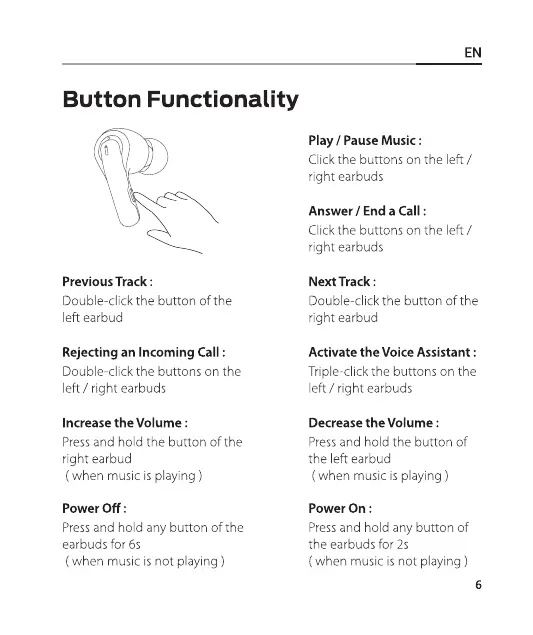
Previous Track :
Double-click the button of the
left earbud
Rejecting an Incoming Call :
Double-click the buttons on the
left / right earbuds
Increase the Volume :
Press and hold the button of the
right earbud
( when music is playing )
Power Off :
Pressand hold any button of the
earbuds for 6s
( when music is not playing )
Play / Pause Music :
Click the buttons on the left /
right earbuds
Answer / End a Call :
Click the buttons on the left /
right earbuds
Next Track :
Double-click the button of the
right earbud
Activate the Voice Assistant :
Triple-click the buttons on the
left / right earbuds
Decrease the Volume :
Press and hold the button of
the left earbud
( when music is playing )
Power On :
Pressand hold any button of
the earbuds for 2s
( when music is not playing )
6


 To Next Page