EN
4
EN
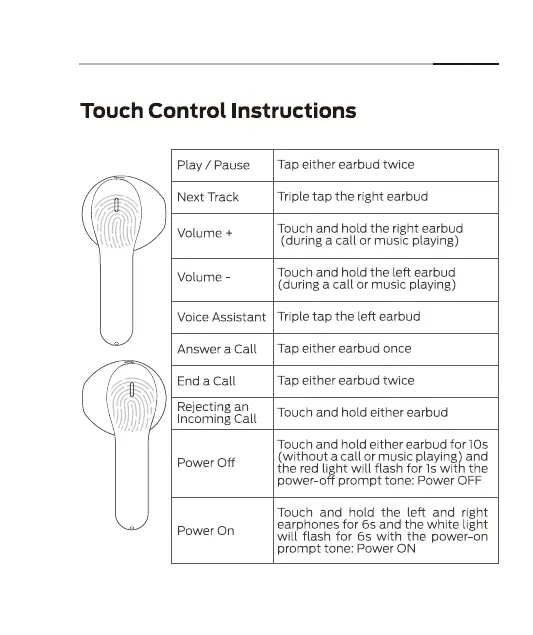
Touch Control Instructions
Play / Pause
Next Track
Volume +
Volume
Voice Assistant
Answer a Call
End a Call
Rejecting an
Incoming Call
Power Off
Power On
Tap either earbud twice
Triple tap the right earbud
Touch and hold the right earbud
(during a call or music playing)
Touch and hold the left earbud
(during a call or music playing)
Triple tap the left earbud
Tap either earbud once
Tap either earbud twice
Touch and hold either earbud
Touch and hold either earbud for IOS
(without a call Or music playing) and
the red light will flash for Is with the
power-off prompt tone: Power OFF
Touch and hold the left and right
earphones for 6s and the white light
will flash for 6s with the power-on
prompt tone: Power ON
4


 To Next Page