Key and Mouse Commands
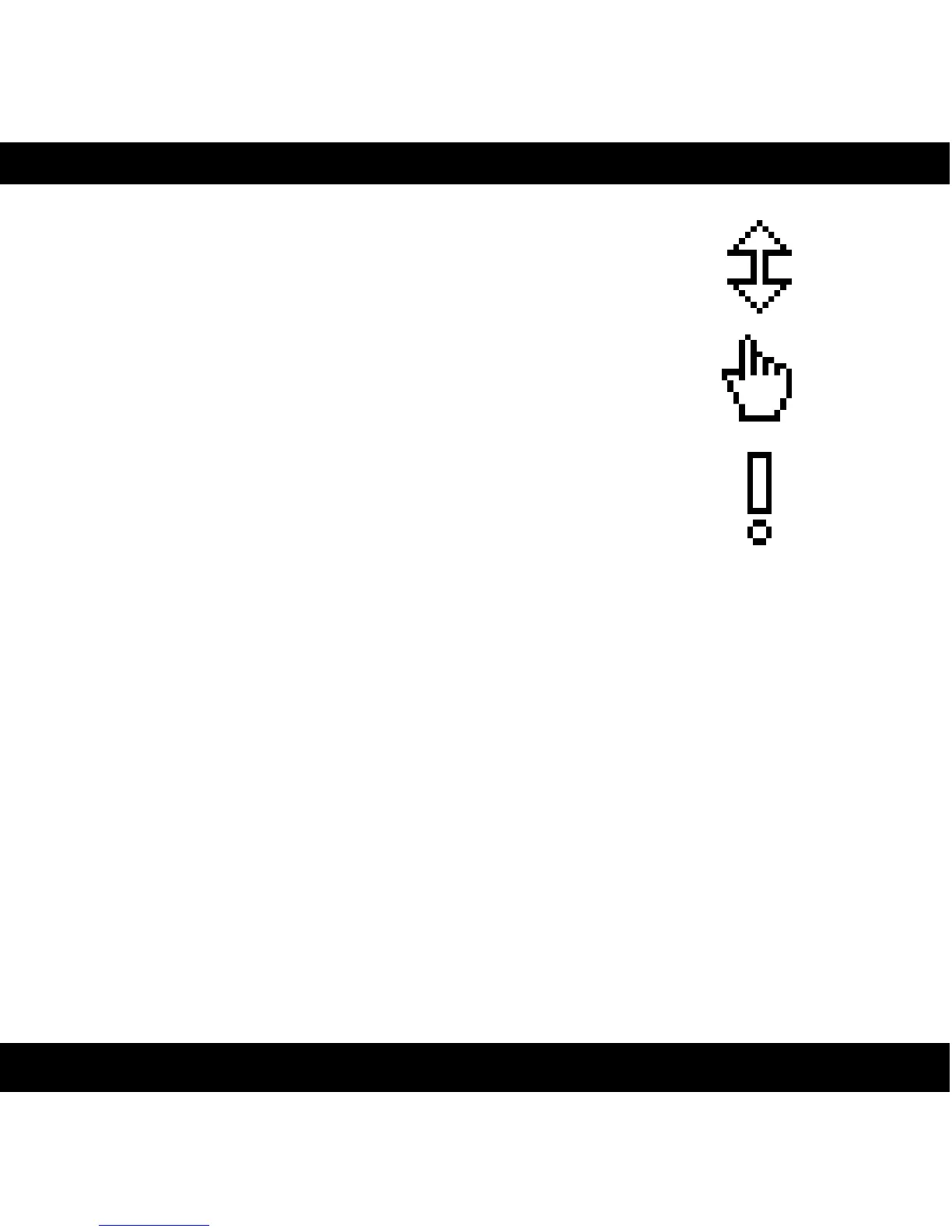
All labels (such as the dB or frequency labels) are
clickable. This allows you to easy select a setting by
clicking on the wanted value. Hovering above a label will
turn the mouse pointer into a pointing hand.
Mouse
• U P / D O W N :
Change a parameter, such as a knob or a switch.
• C L I C K :
Clicking on labels or activate the “About” box.
• M O U S E W H E E L (Mac only):
Use the mouse wheel to change parameters.
Keyboard Commands
Use these key commands while changing a parameter.
• F I N E A D J U S T :
Command (Mac) or Control (Win)
• R E S E T T O D E FA U LT :
Alt (while clicking on the knob or fader).
Pro Tools Specific Keyboard Commands
• A U T O M A T I O N C O N T R O L W I N D O W :
Control+Command+Alt+click (Mac) or Control-Windows-Alt-click (Windows)
• S H O W A U T O M AT I O N T R A C K :
Control+Command+click (Mac) or Control-Windows-click (Windows)
12
Figure 1: From top to
bottom: Knob- and switch-
changing cursor, Label
cursor and the “About”
box cursor.


 To Next Page