Dryspell Series Instruction Manual
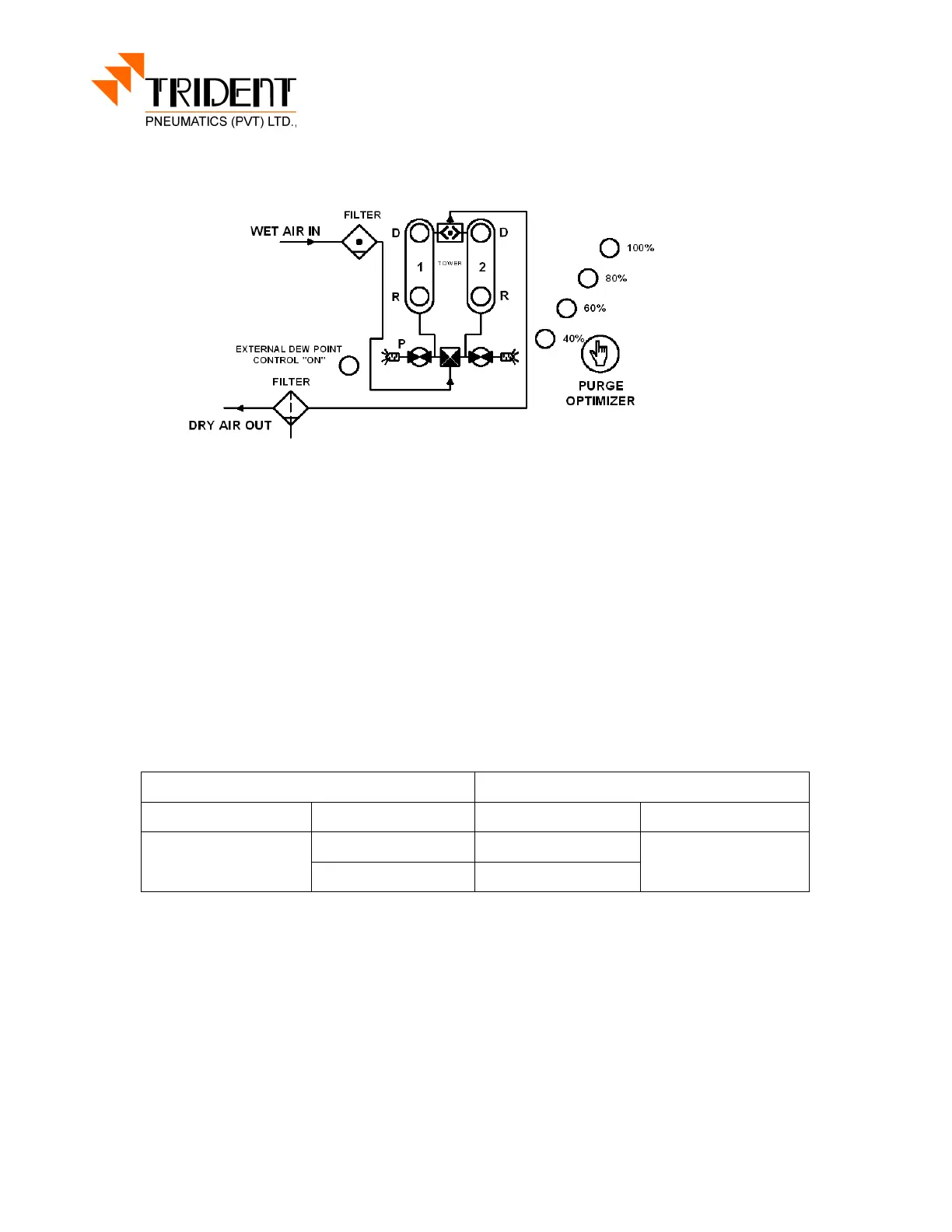
Control Panel DS 31-200
The control panel presents all the instruments necessary to control and regulate the dryer:
a machine diagram
two LEDs indicating the tower in drying operation (Tower 1 and Tower 2).
a LED indicating the prefilter drain operation (Drain) (for models equipped with
electronic auto drain.).
Press 8 sec Purge Optimizer button continuously, then set the value ( 40% to 100%) if
needed to control the purge flow
Operating Cycles Time
Drying time : 2 min
Regeneration time : 1 min 30 seconds
Pressurization time : 30 seconds
Tower 1 Tower 2 Tower 1 Tower 2
Drying
Regeneration Regeneration
Drying
Re-pressurization
Re-pressurization
When 1 is lighted, tower 1 is in drying operation and tower 2 is in regeneration mode. After
tower 2 regeneration is finished, tower 2 LED will blink to show that the tank is now in the
pressurization stage. After 30 seconds of pressurization, tower 1 will depressurize, the
operating cycle is reversed with tower 1 is in the regeneration stage and tower 2 in the drying
mode. (Caution: At the end of the pressurization the regeneration tower will
depressurize producing a loud noise.) The cycle occurs every 2 minutes. (For models
equipped with prefilter and electronic auto drain, the prefilter condensate drain discharge is
programmed every 4 minutes for 4 seconds.) All these cycle times are fixed and not
adjustable by user.


 To Next Page
 Loading...