Select the field to load.1.
Select or create the event.2.
Select the line to load.3.
Set up the implement (if necessary).4.
These steps are described below.
Step 1. Selecting the field to load
There are two ways you can select a field to load:
Using FieldFinder•
Selecting the Field name from a list•
Using FieldFinder
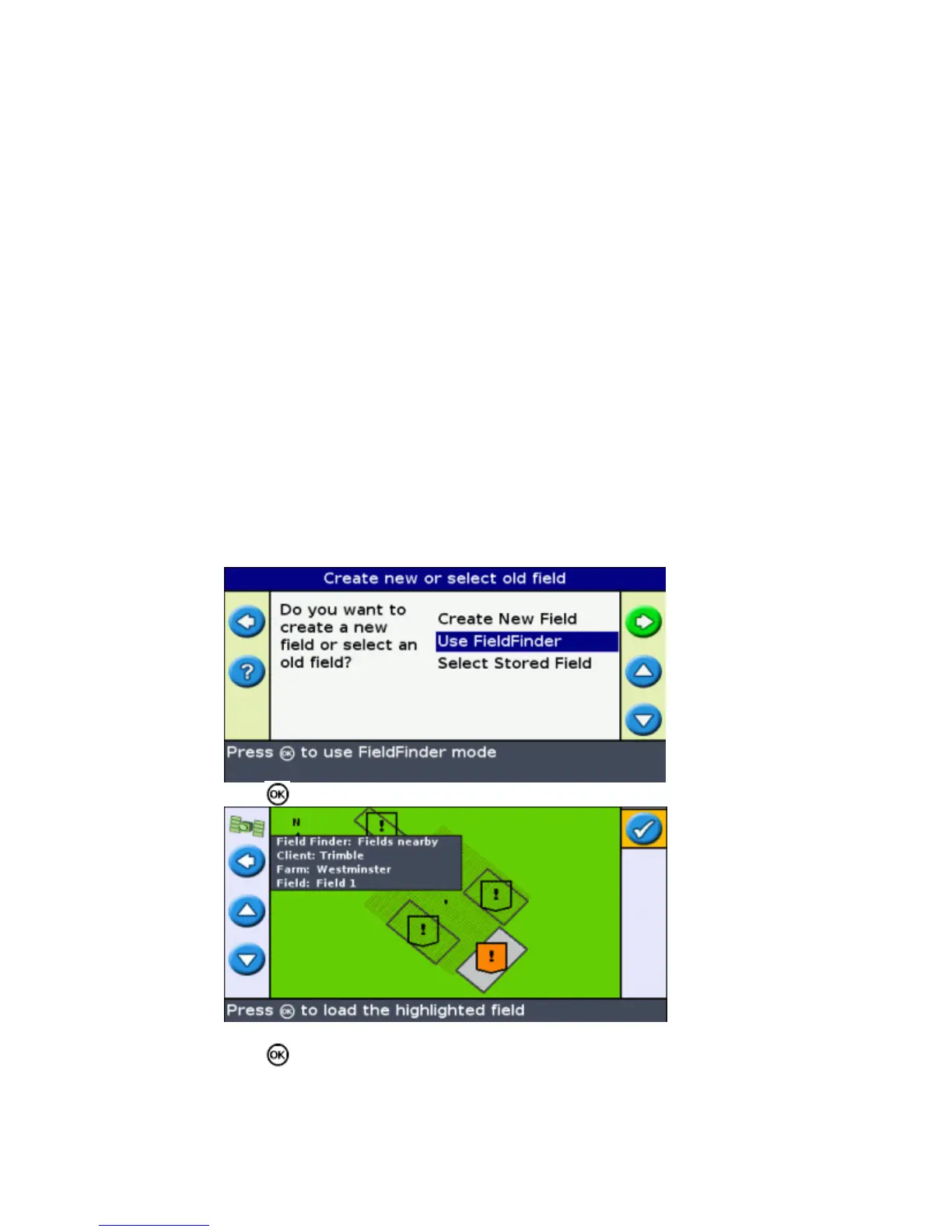
The FieldFinder option allows you to choose a field from a map view.
Note: The vehicle must be within 200 m of the field for it to appear on screen.
To use FieldFinder:
From the Create new field or select old field screen, select Use FieldFinder .1.
Press . The FieldFinder map view appears.2.
Use the arrow keys on the left of the screen to select the field you want to load.3.
Press .The Choose an event screen appears.4.
42



 To Next Page