EasyManua.ls Logo

Trimble M3 DR Series - 4 Checking and Adjustment; Checking the instrument constant

Default Icon
7 pages
Print Icon
To Next Page IconTo Next Page
To Previous Page IconTo Previous Page
Loading...
4
Checking
and
Adjustment
Checking
the
instrument
constant
The
instrument
constant
is
a numerical
value
used
to
automatically
correct
for
the
displacement
between
the
mechanical
and
electrlcal
centers
when
rfle{suring
distances.
The
instrument
constant
is
set by
the
manufacturer
before
the
instrument
is
shipped.
However,
to
ensure
the
highest
operational
accuracy,
we
recommend
that
you
check
the
instrument
constant
several
times
a year.
To check
the
instrument
constant,
you
can either
compare
a
correctly
measured
base line
with
the
distance
measured
by
the
EDM,
or forow
the
procedure
below.
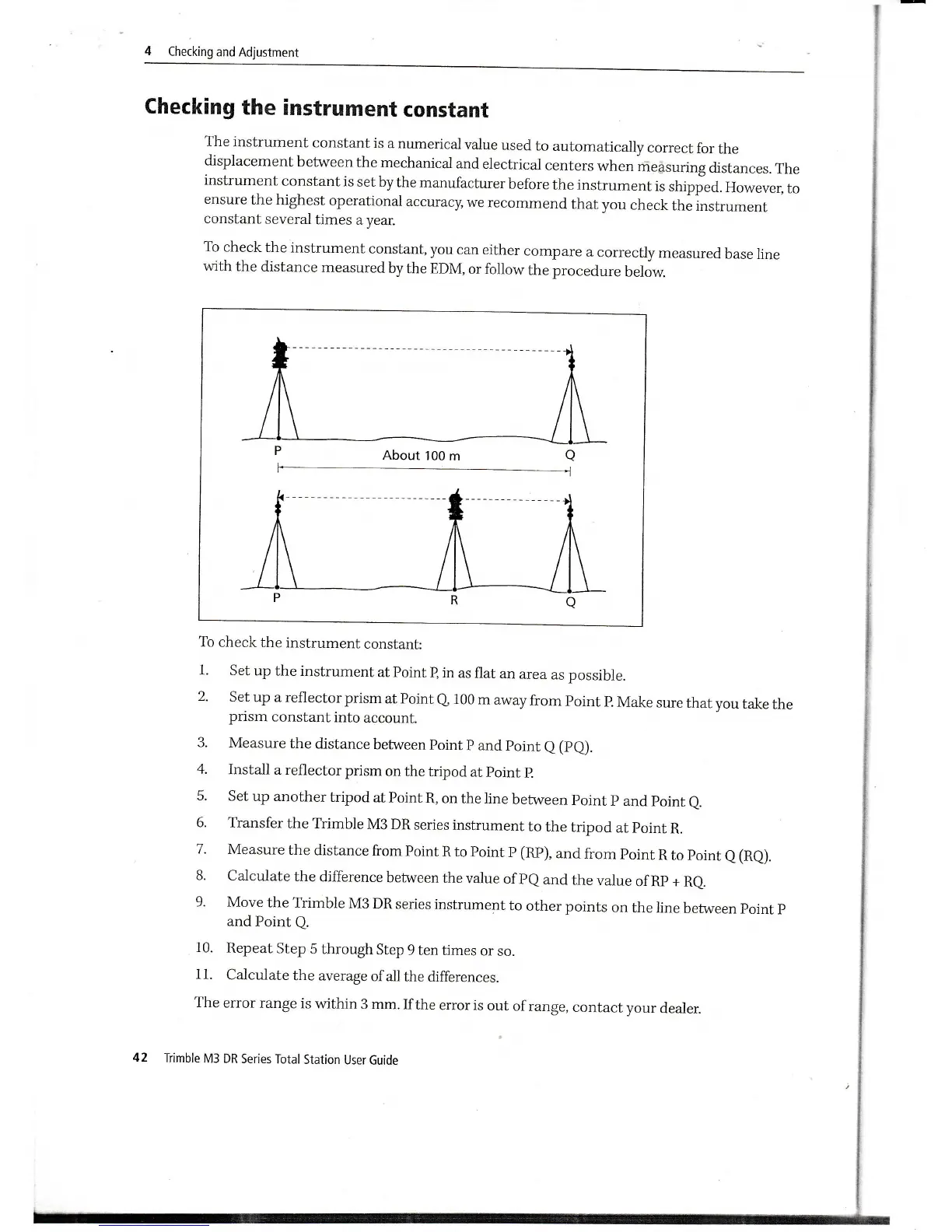
About'100
m
To
check
the
instrument
constant:
1.
set up the
instrument
at
point
B
in
as flat
an
area
as possible.
2'
Set
up a
reflector
prism
at Point
Q
100
m
away
from
Point
P.
Make
sure
that
vou
take
the
prism
constant
into
account.
3.
Measure
the
distance
between
point
p
and
point
a
(pO.
4.
Install
a
reflector prism
on
the
tripod at
point
p.
5.
Set
up another
tripod
at Point
R, on
the line
between
Point
p
and
point
e.
6.
Transfer
the Trimble
M3
DR
series
instrument
to
the
tripod
at
point
R.
7
-
Measure
the
distance
from Point
R
to Point
P
(RP),
and
from
point
R to
point
a
(Ra).
8.
Calculate
the
difference
between
the
value
of
PQ
and
the
value
of Rp +
Re.
9.
Move the
Trimble
M3 DR
series
instrument
to
other points
on
the
line
between
point
p
and
Point
Q.
10.
Repeat
Step
5 through
Step
9 ten
times
or
so.
11.
Calculate
the average
ofall
the
differences.
The
error range
is
within
3 mm.
If
the
error is
out
of
range,
contact
your
dealer.
42
Trimble
M3 DR
Series
Total
Station
User Guide

Related product manuals