Trimble M3 Total Station User Guide 119
Checking and Adjustment 10
10.1Checking and adjusting the compensator (C) and index (I)
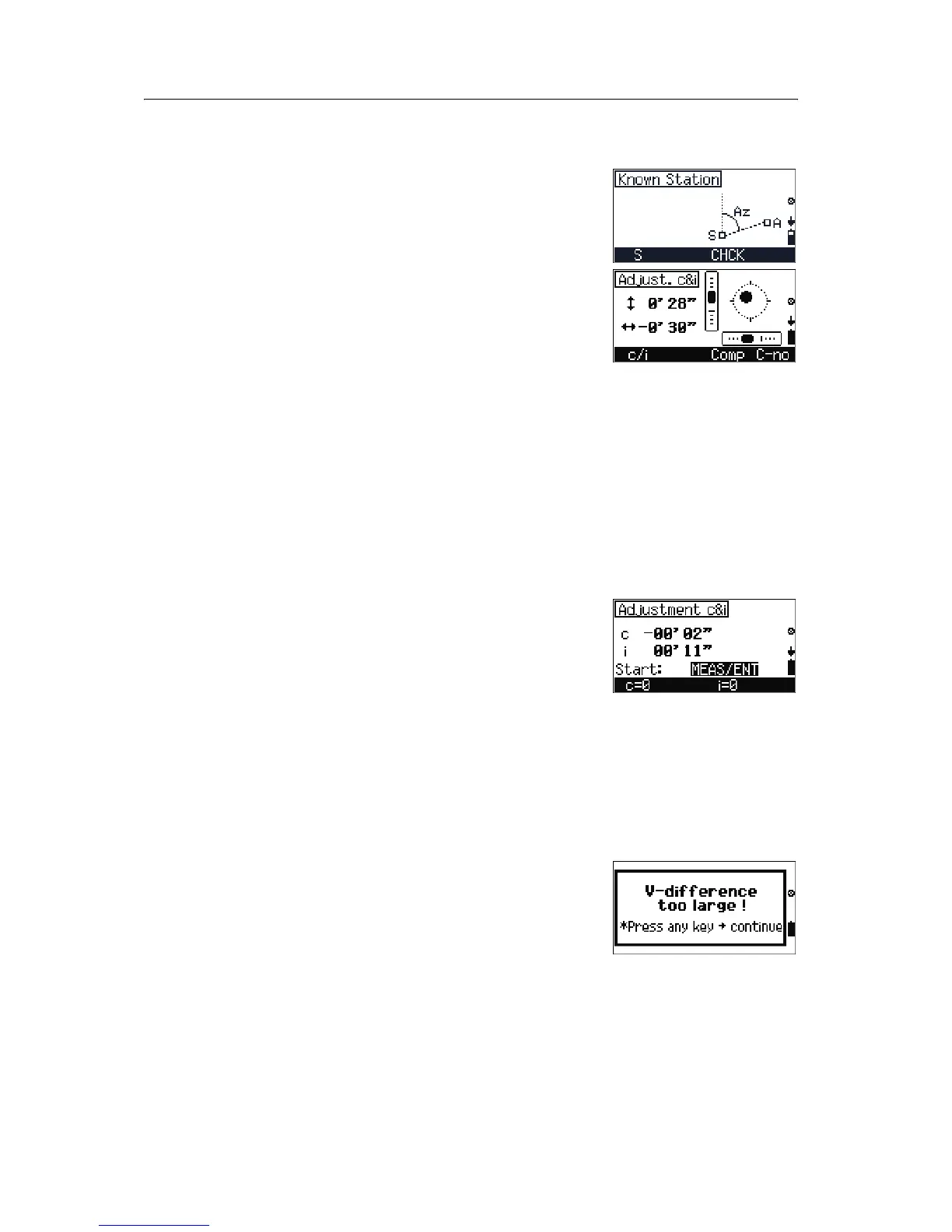
1. To activate the Adjustment C&I program from
any screen that shows the
CHCK softkey, press
[F3].
The electric level is shown in graphic format.
2. Do one of the following:
– To go to the angle adjustment screen, press
[F1] c/i, see Vertical index and HA
collimation, page 119.
– To go to compensator adjustment, press
[F3] Comp, see Compensator adjustment,
page 120.
– To turn the compensator adjustment on or
off, press
[F4] C-no/C-yes.
B
Tip – Before starting this procedure, level the instrument
precisely.
100.1 Vertical index and HA collimation
1. To open the Adjustment C&I screen, press
[F1] c/i in the Adjust. C&I screen. The
Adjustment C&I screen shows the current sight
axis correction and vertical index correction will
be shown.
2. Do one of the following:
–To reset
c to zero, press [F1] c=0.
–To reset
i to zero, press [F3] i=0.
– To return to the previous screen, press
[ESC].
3. To take an angle measurement on Face-1, press
[MEAS/ENT].
Note – If the reference target is placed too high or too low
(+/- 20 gon), a warning screen appears when you press
[MEAS/ENT].



 To Next Page