Trimble M3 Total Station User Guide 51
Getting Started in the Field 4
4.1 Setting the measurement mode and preparing the target
C
WARNING – Observe all other warnings and cautions. See Safety and Warnings, page iii.
The Trimble M3 total station has two measurement modes: Prism mode (Prism) and
Direct Reflex mode (
DR). To change the mode at any time from any observation screen,
press and then press
[2]. See also Changing target mode (DR or Prism), page 40.
The Trimble M3 total station is Laser Class 3R in the Reflectorless mode, is Laser Class
1 in the Prism mode.
Don’t sight the Prism in Reflectorless mode.
Table 4 .4 describes how to set the measurement mode depending on the target you
want to measure.
41.1 Measurement with a prism
As the Trimble M3 total station is extremely sensitive, multiple reflections on the prism
surface can sometimes cause a significant loss in accuracy.
To maintain the accuracy of your measurements:
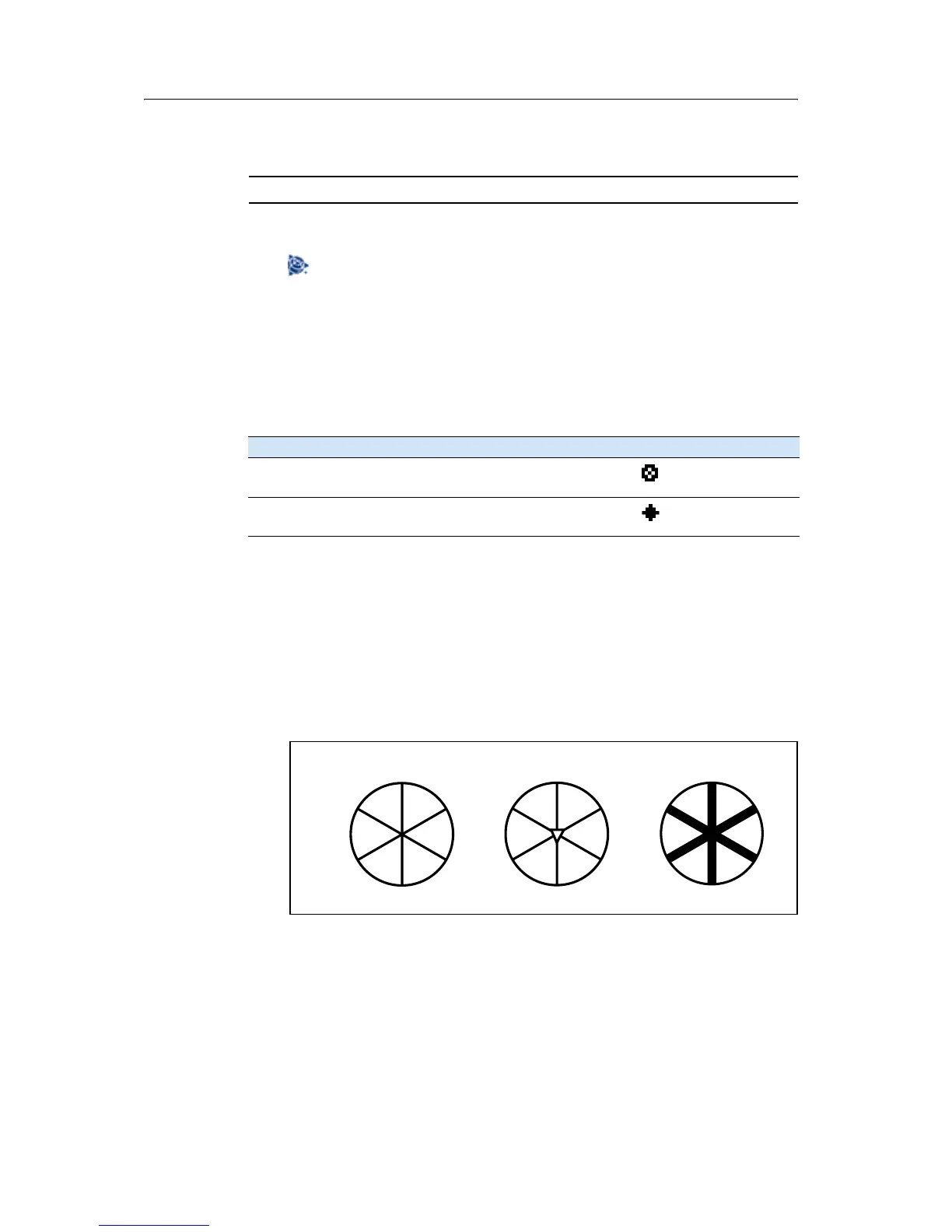
• Do not use a prism with scratches, a dirty surface, or a chipped center. Trimble
recommends that you use prisms with thin edges as shown below.
Table 4.4 Measurement modes
Targe t Targe t setti ng s Indicator on status bar
Prism, reflector sheet Prism (Prism mode)
Other, reflective materials DR (Direct-Reflex mode)
✓
✕
✕
Thin edges
Chipped center
Thick edges



 To Next Page