2-35
Operating Your Tablet Computer
• 2.0 MP: Select this option for a 1600 x 1200 resolution.
• 5.0 MP: Select this option for a 2592 x 1944 resolution.
• For 16:9 aspect ratio, the following options are available:
• 1.0 MP: Select this option for a 1280 x 720 resolution.
• 3.0 MP: Select this option for a 1920 x 1080 resolution.
To preview photos
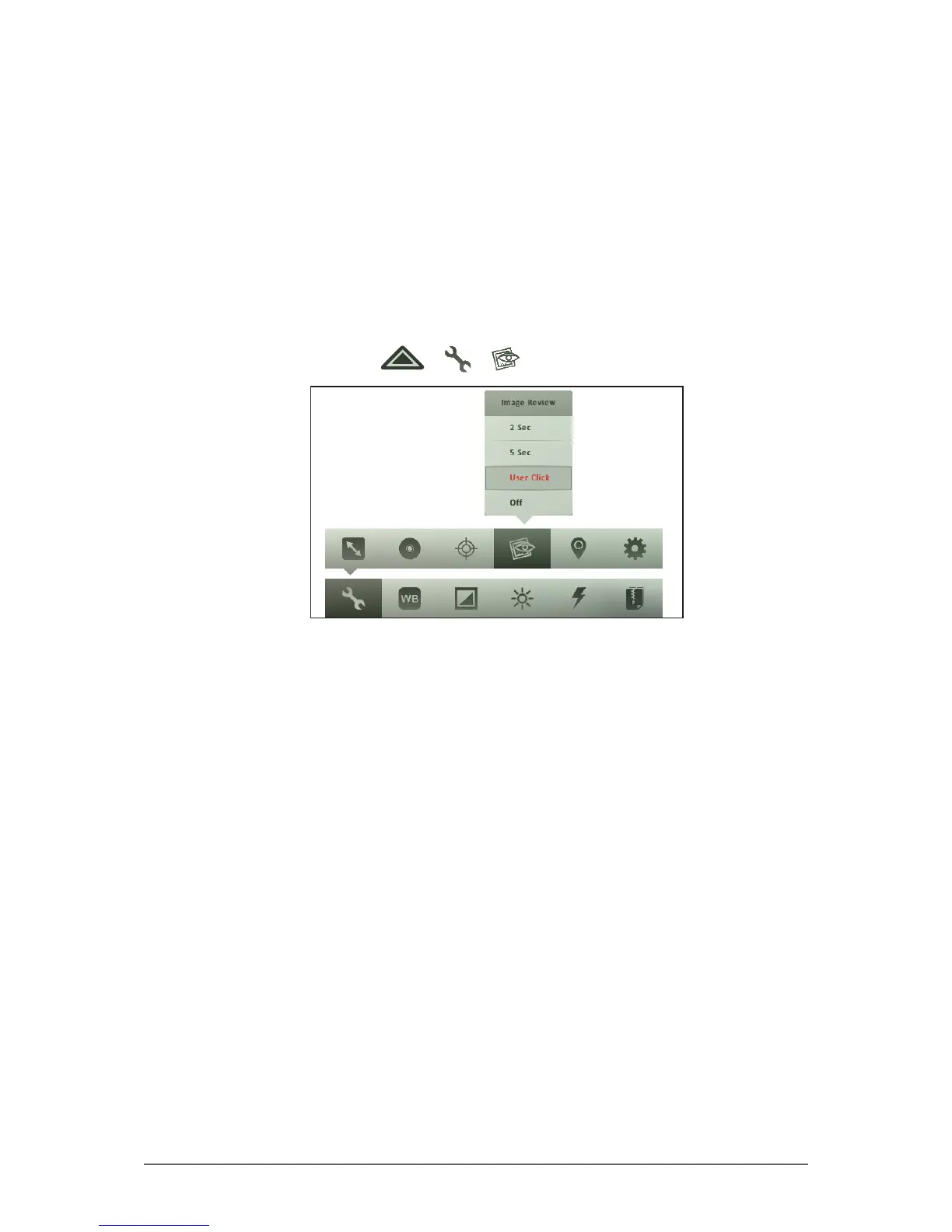
The Image Review setting allows you to preview captured photos right after
shooting it.
1. In Photo mode, tap > > .
2. Tap one of the following options:
• 2 Sec: Select this option to display the photo for 2 seconds after
capturing it.
• 5 Sec: Select this option to display the photo for 5 seconds after
capturing it.
• User Click: Select this option to display the photo right after capturing
it and closes the preview when the user taps the screen.
• Off: Select this option to disable photo preview.



 To Next Page