2-38
Operating Your Tablet Computer
Working with Videos
The Video Menu
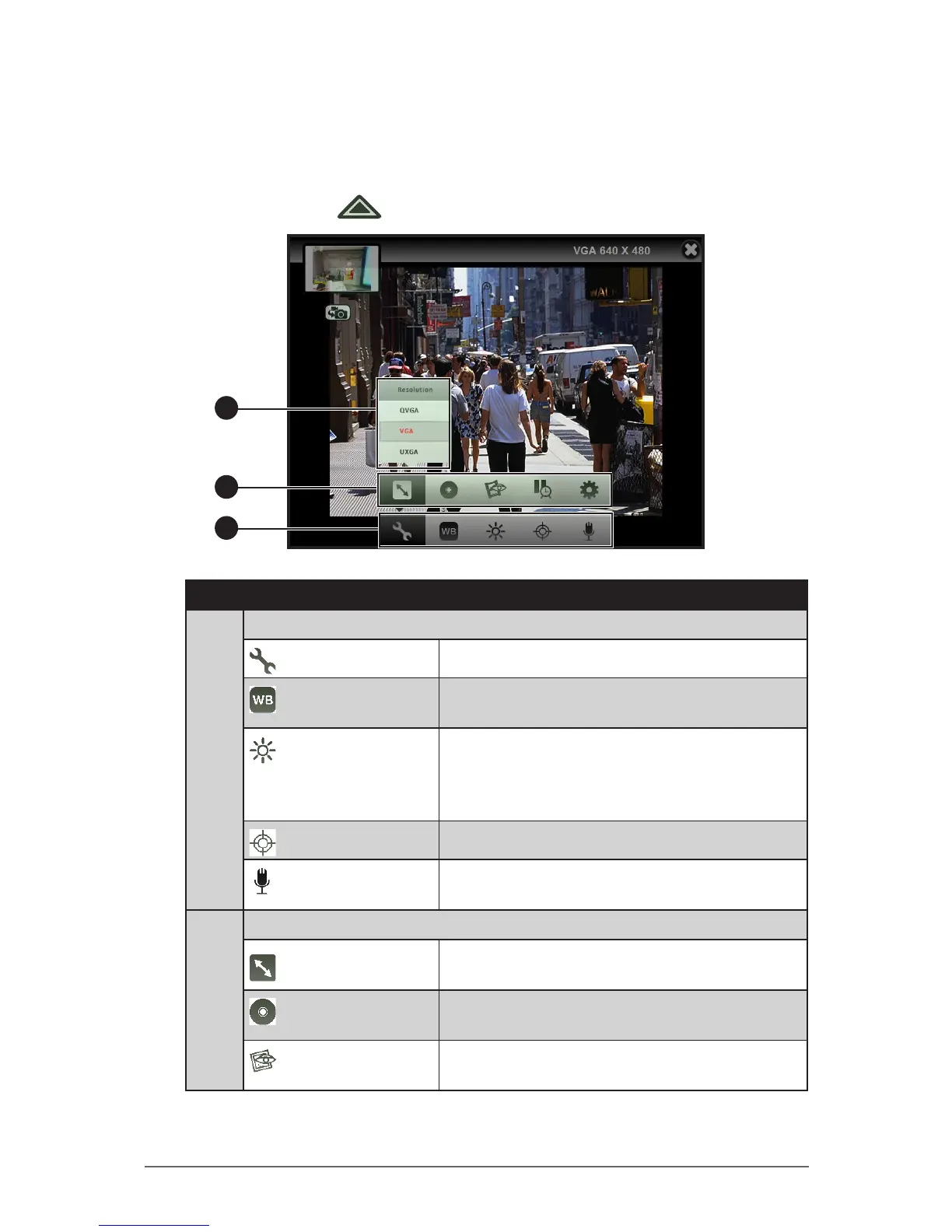
In Video mode, tap to access the video menu settings.
2
1
3
No. Item Description
1 Main Video Menu
More Settings
Tap to expand the menu. See item number 2.
White Balance
Tap to set the white balance setting. See “To
set the white balance” on page 2-39.
Brightness
Tap to set the brightness setting. The higher
the value, the brighter the capture setting
becomes. Select “0” for normal brightness
setting.
Focus
Enables or disables focus.
Audio Record
Enables or disables audio recording. See “To
enable audio recording” on page 2-39.
2 Expanded Video Menu
Resolution
Sets the video resolution. See “To set the
video resolution” on page 2-40.
Storage Location
Sets either Internal Memory or External
Memory to save captured videos.
Video Review
Congures the video review options. See “To
enable video review” on page 2-40.



 To Next Page