Operating Your Tablet Computer 2-9
Connecting to a Wireless Network
To connect to a wireless network:
1. Make sure that the wireless LAN radio is ―on‖ indicated by the WiFi
LED indicator ( ) glowing in green.
2. Tap and hold the stylus on the Wireless Network Connection icon
located in the Windows system tray until the ring appears, then lift up
and select Connect to a network.
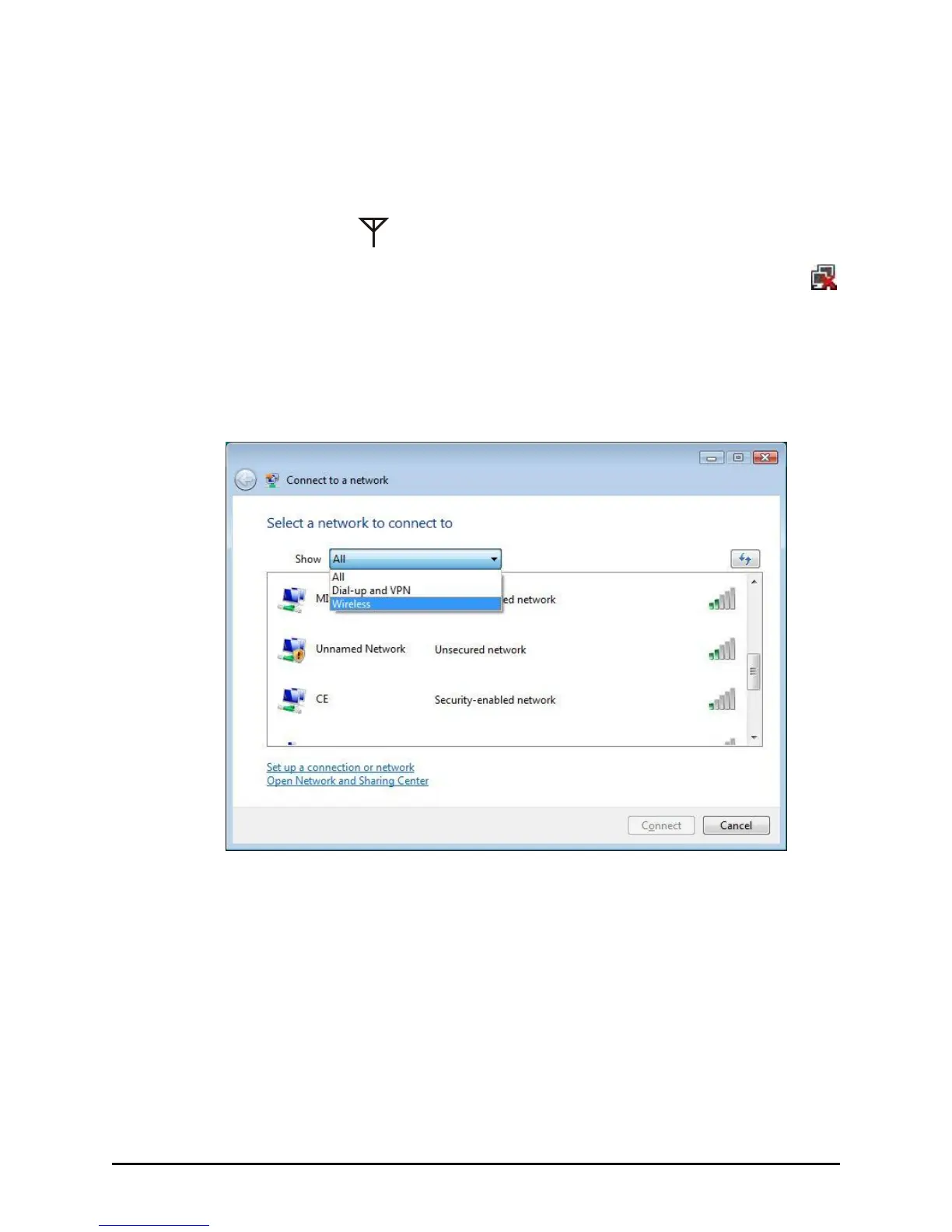
3. If any wireless network is detected, the following window appears on
screen. Tap the Show drop-down menu and select Wireless.
4. Tap to select a wireless network to connect to, and then tap Connect.
5. Depending on the settings, you may be asked to enter a WEP key
(refer to your Windows online help for more information on setting a
wireless network connection).



 To Next Page