5-14 Using BIOS Setup and System Utility
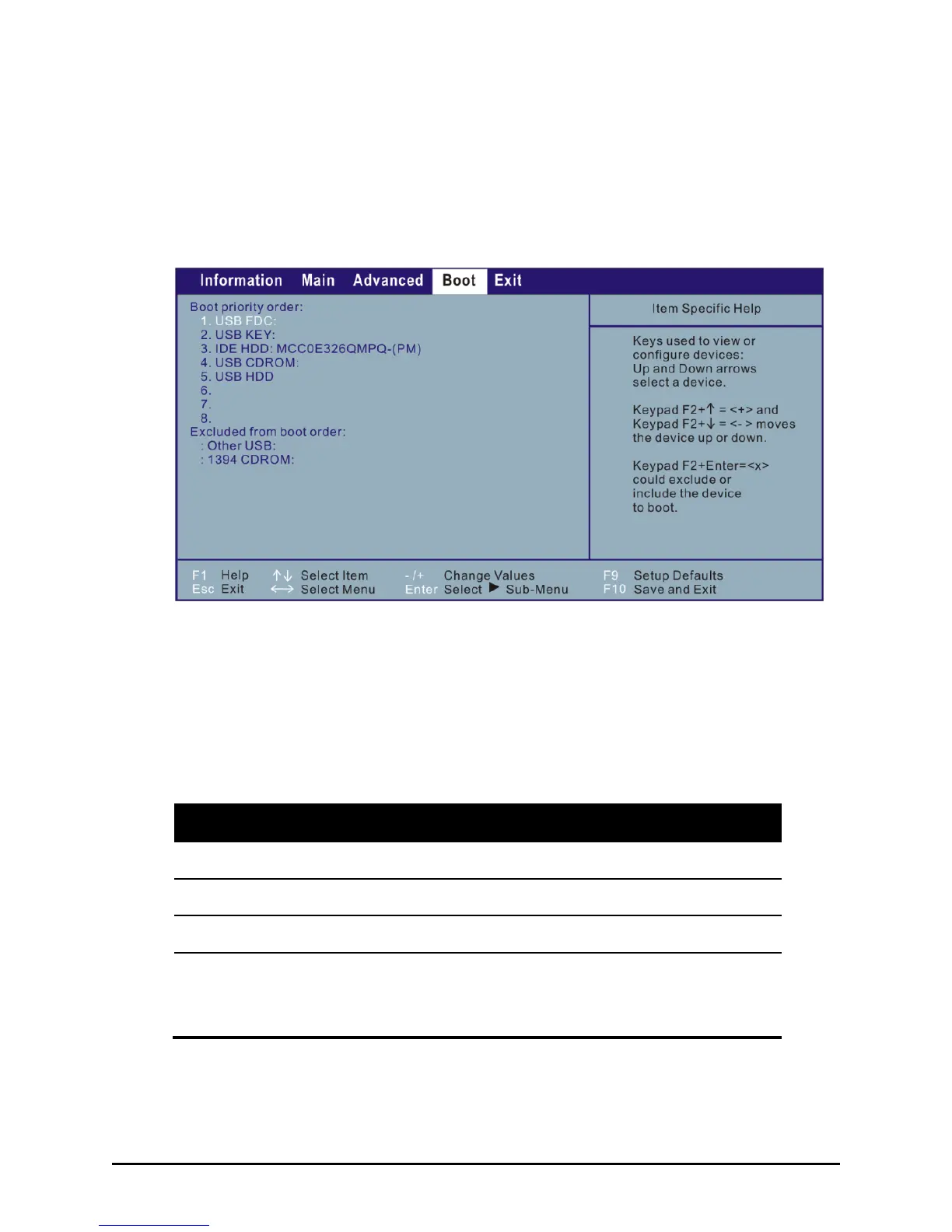
Boot Menu
The Boot menu sets the sequence of the devices to be searched for the
operating system.
The bootable devices will be automatically detected during POST
(Power-On Self-Test) and shown here, allowing you to set the sequence
that the BIOS uses to look for a boot device from which to load the
operating system.
A brief description of keyboard usage is listed next:
Moves the highlighted boot device from the ―Boot priority
order‖ list to the ―Excluded from boot order‖ list, and vice
versa.



 To Next Page