The Triminator Moisture Meter (TMM) is a pin-type LED bar graph moisture meter designed for post-harvest cannabis processing, specifically for checking the moisture content of flower before trimming or packaging. It measures moisture content based on the electrical conductivity of the material, with wetter materials exhibiting higher conductivity.
Function Description:
The TMM utilizes two replaceable steel pins as electrodes to measure the material's percentage moisture. For dense flower, readings primarily reflect surface moisture content due to the pins' 3/8 inch (10mm) length, which limits deep penetration. For softer materials like soil, paper, or powders, readings are more likely to represent the average moisture level between the surface and the penetration depth of the pins. The meter features a front-panel bar graph with 10 LEDs to display moisture levels across two ranges: 7% to 15% (LOW) and 16% to 35% (HIGH). A slide switch on the back of the meter serves as both the power switch and range selector. Upon powering on, the bar graph momentarily indicates the remaining battery life.
Important Technical Specifications:
- Measurement Range: 7% to 35% moisture content across two scales: 7% to 15% (Low) and 16% to 35% (High).
- Measurement Accuracy: ±1 LED.
- Pin Length: 3/8 inch (10mm).
- Calibration Check Point: 20% ±2 LED.
- Low Battery Alarm Level: <7.5V.
- Operating Temperature: 32° to 140°F (0° to 60°C) at <80% R.H.
- Storage Temperature: 23° to 140°F (-5° to 60°C).
- Current Consumption: <15mADC.
- Dimensions: 6.5 x 2.7 x 1 inch (164 x 69 x 26mm).
- Weight: 3.2 oz. (91g).
- Power Source: 9V battery (included).
Usage Features:
- 10-LED Display: Provides a clear visual indication of moisture levels.
- Dual Measurement Scales: Separate HIGH and LOW scales cover a broad 7% to 35% measurement range.
- Power On/Range Selection: The Power/Scale switch on the back allows users to select either the HIGH or LOW range and power the device on/off.
- Battery Life Indication: When powered on, the bar graph momentarily displays the remaining battery life. All eight LEDs lit indicate a fully charged battery, while fewer LEDs suggest a weak battery. A blinking HIGH light also signals a weak battery.
- Calibration Check: The protective cap doubles as a calibration checker. By removing the cap, turning it over, and placing its two holes over the pins, users can verify calibration. An LED at the 18%, 19%, 20%, 21%, or 22% positions on the HIGH scale should illuminate if calibrated correctly.
- Measurement Process:
- Power on the meter by sliding the Power/Scale switch to the HIGH position.
- Remove the protective cap, taking care to avoid the sharp pins.
- Gently but firmly insert the two metal pins into the cannabis flower to be tested, ensuring sufficient penetration for an accurate reading.
- Allow the meter a moment to stabilize and take a reading.
- For HIGH moisture readings (16% to 35%), an LED will light up, indicating the moisture level. If the level is above 35%, the bottom (35%) LED will light up. If below 16%, no LED will light.
- For LOW moisture readings (7% to 15%), slide the Power/Scale switch to the LOW position. An LED will light up, indicating the moisture level. If no LED lights, the moisture level is less than 7%.
- Repeat the process as necessary for multiple buds or different parts of the same bud to ensure consistent readings.
- Measurement Tips:
- Avoid forcing pins into hard surfaces.
- Surface readings for soil will be lower than readings with pins inserted deeper.
- Conductive or metallic objects will always light the lowest LED on the bar graph, regardless of the selected scale.
- Measurements can be skewed by ambient humidity and flower density. Users are encouraged to develop their own moisture level curves based on experience with different cultivars.
- The TMM does not have an auto power-off function; users must manually slide the Power/Scale switch to the OFF position after each session to conserve battery life.
Maintenance Features:
- Replaceable Test Pins: The steel pins are replaceable, ensuring the longevity of the device.
- Battery Replacement: The TMM is powered by a 9V battery. To replace, turn the meter over, push up the flange on the bottom of the battery compartment cover, lift and remove the cover, and then plug in a new 9V battery, ensuring correct terminal orientation. Close the compartment by replacing the cover and snapping it shut.
- Protective Cap: The cap protects the pins when not in use and serves a dual purpose as a calibration checker.

 Need help?
 General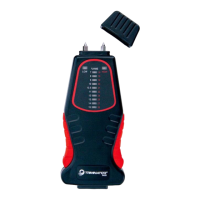

 To Next Page