Edit: Tap to edit the image.
Rotate left/Rptate right: Tap to Rotate the image.
Crop:Tap allows you to crop the image
Set picture as:Tap to set the picture as a “Contact image” or
“Wallpaper”
Detalis: Tap to display image details, such as file name, creation
date, dimensions, Orientation, File size, path, etc.
7.5 Camera
Tap the camera icon
on the main screen or the app menu.
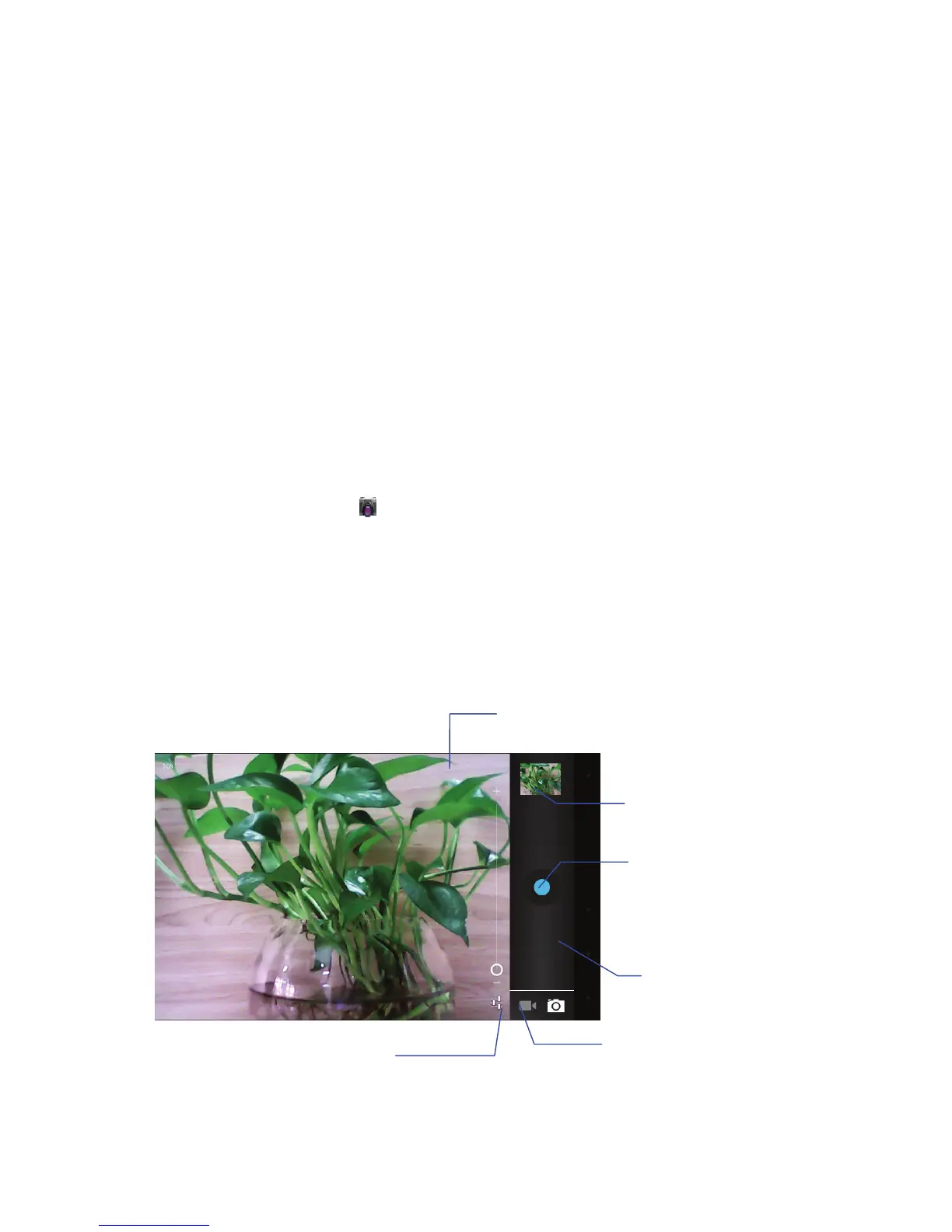
The controls for camera and digital recording modes are
interchangeable
Swap between video
and camera modes
Zoom in
Tap to capture
image & video
View image and videos
Zoom out
Tap to will show below picture



 To Next Page