8. Connecting to Wifi
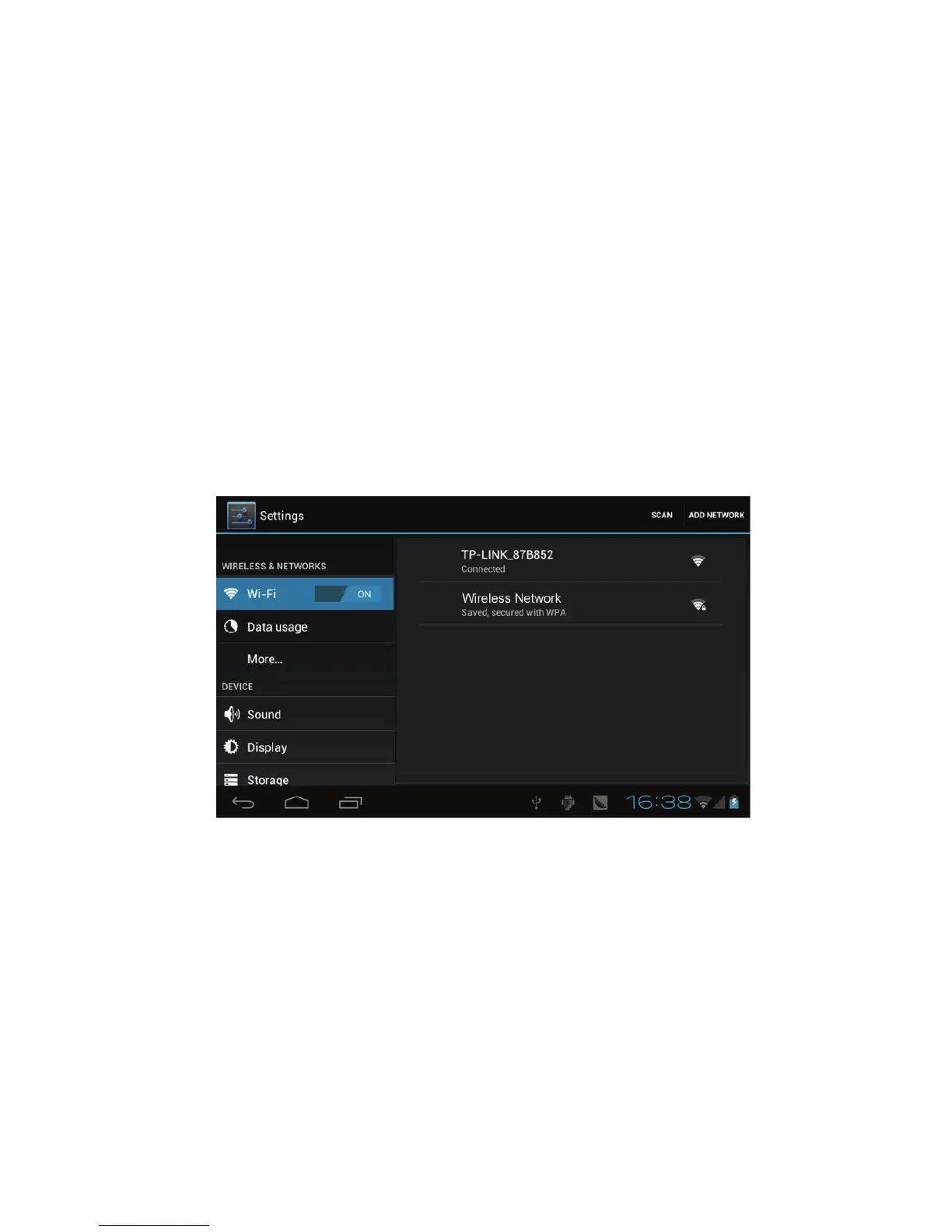
Your device connects to the internet using a built in Wi-FI antenna
1) Tap the Settings icon.
2) Slide WI-FI to the “on” position.
3) The device will auto scan for available WI-FI internet
connections.
4) Select the WI-FI connection you want to use; if the connection
requries a password, you will need to enter it.
9.Email
The Email application allows you to access an external POP3 or
IMAP email account provider such as Yahoo, Gmail and 163.
Note: Before setting up your Email, please ensure that you are
connected to wifi. If you do not already know your email
settings (POP3, IMAP, etc) you can obtain them from your
email provider.



 To Next Page