10
1
Switch between caps and lowercase letters
2
Switch between letter and symbol/number mode
3
Spacebar
4
Enter button
5 Delete- tapping once will delete the last input character,
6
Select a different Keyboard (if installed)
Basic settings
1. Voice and display
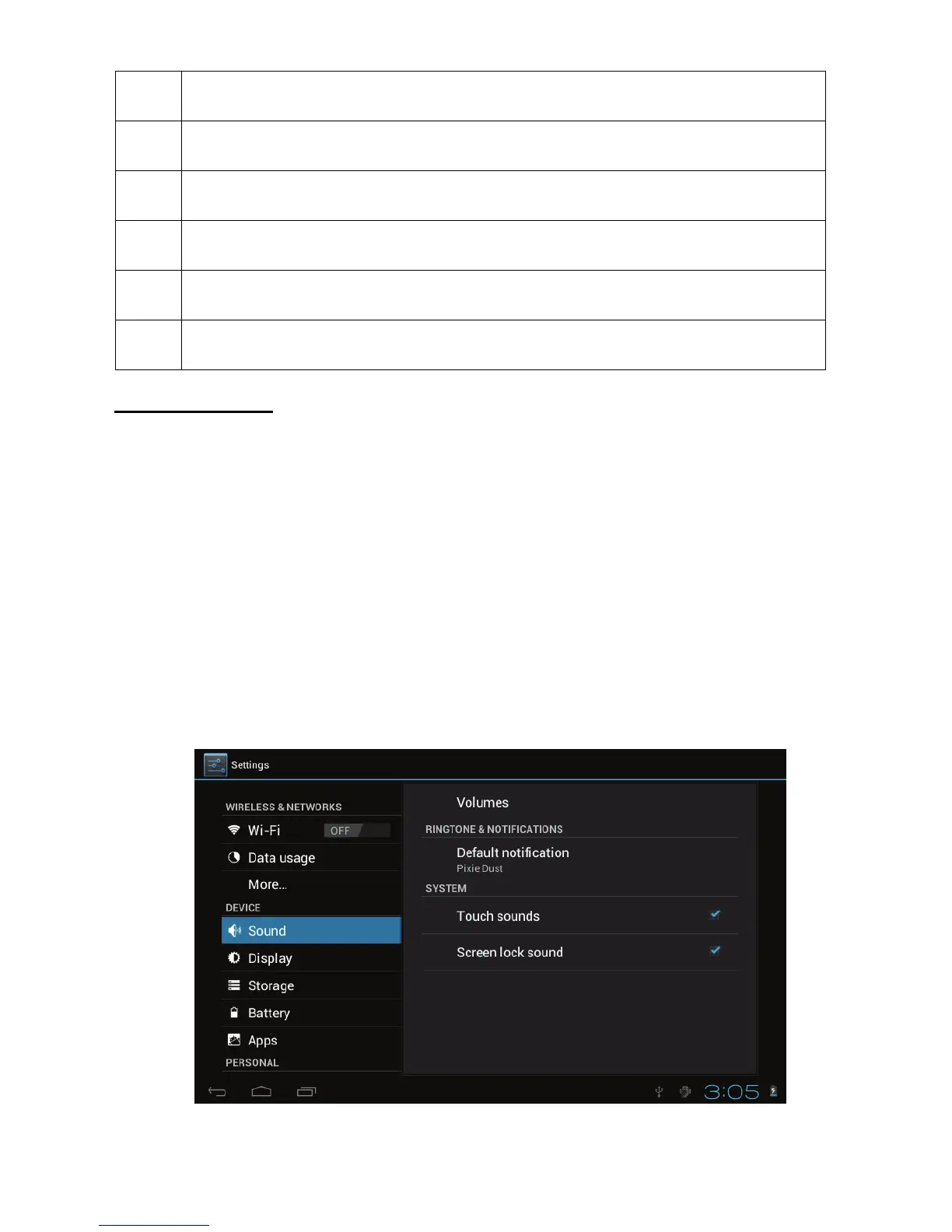
A. Sound and volume setting
1. Tap the Setting icon.
2. Tap Sound.
3. Tap volume to adjust the volume for music and video.
4. Or press “VOL +” or “VOL – Button” to adjust the volume.



 To Next Page