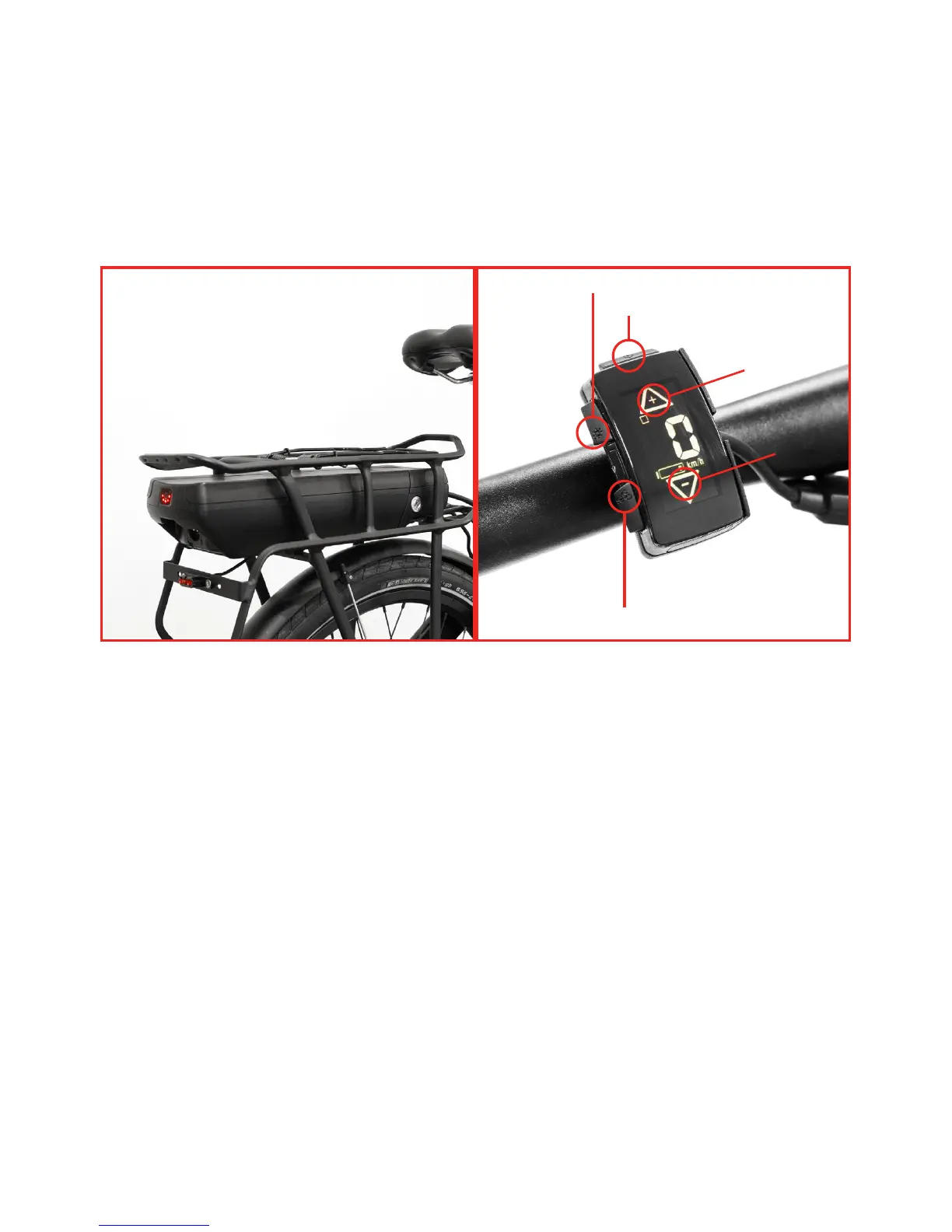
WALK ASSIST BUTTON
LIGHT BUTTON
POWER BUTTON
+
USING THE SYSTEM
- Choose the desired assist level by pushing the “+/-” on the handlebar control. Choose
between level 1-5.
- To make the bike move with electric assistance you just have to pedal.
- To activate the walk assist, just press for 3 seconds the specific button on the handlebar
control. The move will slowly move by itself, without pedalling.
- To turn off the system, press the power button on the remote control for 3 seconds. When
the display is off, the complete system is off too.
29


 To Next Page