TRIOMED COMPACT. USER MANUAL
19
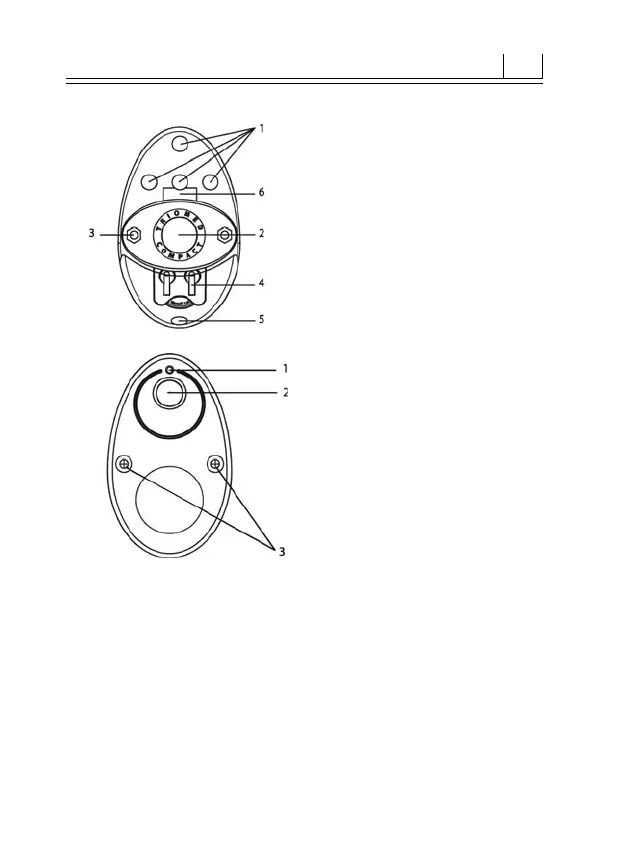
Figure1.Generalview
1 – light indicators
2 – control button
3 – hanging loop
4 – battery holder
5 – strap fastening
6 – speaker
Figure 2. Bottom panel
1 – IR radiator
2 – location of the MM EMR
generator
3 – screws of the bottom panel
When the control button is pressed, the device switches
on and programme no.1 is selected. When the button is
held in the pressed position, the device keeps changing
the programmes as indicated by the LEDs switching on
briey (for approx. 2 seconds) in various combinations (g
3-10). If the control button is not released, the programme
switching cycle is repeated. When the button is released
during the indication of a particular programme, the device
activates it turning the radiation on.


 To Next Page