Temperature Measurements
WARNING: To avoid electric shock, disconnect test
leads from any source of voltage before making a
temperature measurement. Be sure that the
thermocouple has been removed before changing to any
other measurement function.
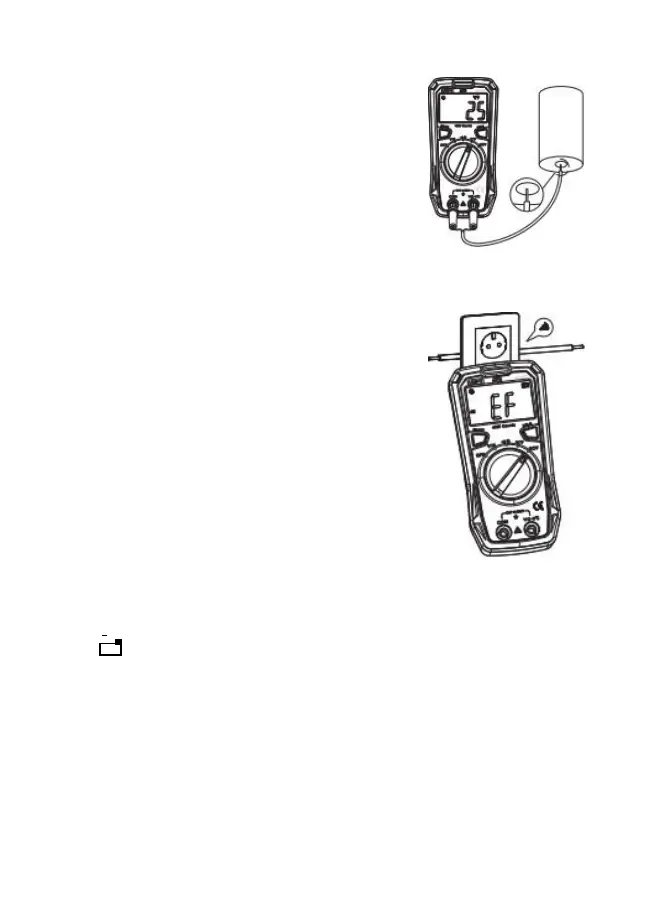
1. Insert the type K thermocouple probe into the Temp
and COM jacks.
2. Turn the rotary switch to the
o
C
/ o
F position. Default is
o
C, Press Select to change to
o
F if desired.
3. Read the temperature on the display.
Non-Contact Voltage and AC Field Sensing
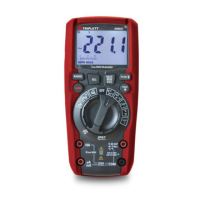
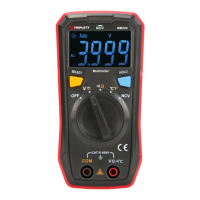
1) Turn the rotary switch to the NCV position.
2)
Bring
the
front end of
the
meter close to the object to
be measured.
**Note: The intensity of the electric field sensing is
indicated by the
LED indicator and the segment "-" on the LCD. The
more segments (up to four segments )are displayed,
the higher the electric field intensity is and the
faster it beeps. **
Data Hold
Press the Hold button to freeze the reading in the display. “H” will appear in the LCD.
Press the key again to release the display.
Low Battery
If the + - low battery icon appears in the display, replace the batteries to maintain proper
operation.
Auto-Ranging
The meter will auto range to the optimum range to provide the best resolution and
accuracy for the input signal.


 To Next Page