25
Installation continued
5. To achieve maximum distance and performance, 24 AWG solid-wire Cat5e/6
cable must be used. The use of stranded wire Cat5e/6 cable, or cable with a
gauge (AWG) size higher than 24 AWG, will result in shorter extension distance.
All Tripp Lite N202-Series cables are made with 24 AWG solid-wire cabling.
Tripp Lite N022-01K-GY (Cat5e) and N222-01K-GY (Cat6) are 24 AWG solid-wire
bulk cables. For optimal image quality between 500 and 1,000 ft., use Zero-
Skew cable, such as Tripp Lite P524-01K.
6. To achieve maximum distance and performance, it is recommended that you use
Tripp Lite P502-Series VGA video or P504-Series VGA + audio cables with
RGB coax.
1
Make sure that the VGA video and audio* source is powered off.
2
Connect the VGA video and audio* source to the INPUT port(s) on the
transmitter unit using a VGA and audio* cable.
3
(Optional – B132-004-2 and B132-004A-2 only)–Connectalocal
monitor and speakers* to the LOCAL port(s) on the transmitter unit
using a VGA video and audio* cable.
4
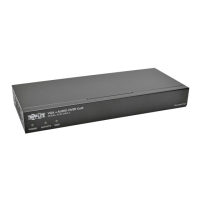
Connect the external power supply to the transmitter unit, and then
plug it into a Tripp Lite Surge Suppressor, Power Distribution Unit
(PDU) or Uninterruptible Power Supply (UPS). The Red power LED and
theGreenRJ45LEDwillilluminatetoindicatetheunitisreceiving
power.
5
UsingCat5e/6cable,connectanavailableRJ45OUTPUT port on the
transmitterunittotheRJ45INPUT port on a remote repeater unit.
6
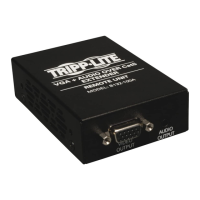
Connect a monitor and speakers* to the OUTPUT port(s) on the
remote repeater unit using a VGA video and audio* cable.
7
Connect the external power supply to the remote repeater unit, and
then plug it into a Tripp Lite Surge Suppressor, Power Distribution Unit
(PDU) or Uninterruptible Power Supply (UPS). The Red power LED and
theGreenRJ45LEDwillilluminatetoindicatetheunitisreceiving
power.
If you are not connecting additional remote repeater units, proceed to
step 11 to complete the chain with a receiver unit.
*If this is a feature of your extender kit.
13-04-119-93-3289.indd 25 4/26/2013 2:00:24 PM



 To Next Page
 Loading...