8
5. Setup
5.4 Door Locks
The doors contain a lock that is accessible with the included keys. The padlock hasp on the front
door provides an extra measure of security against device theft.
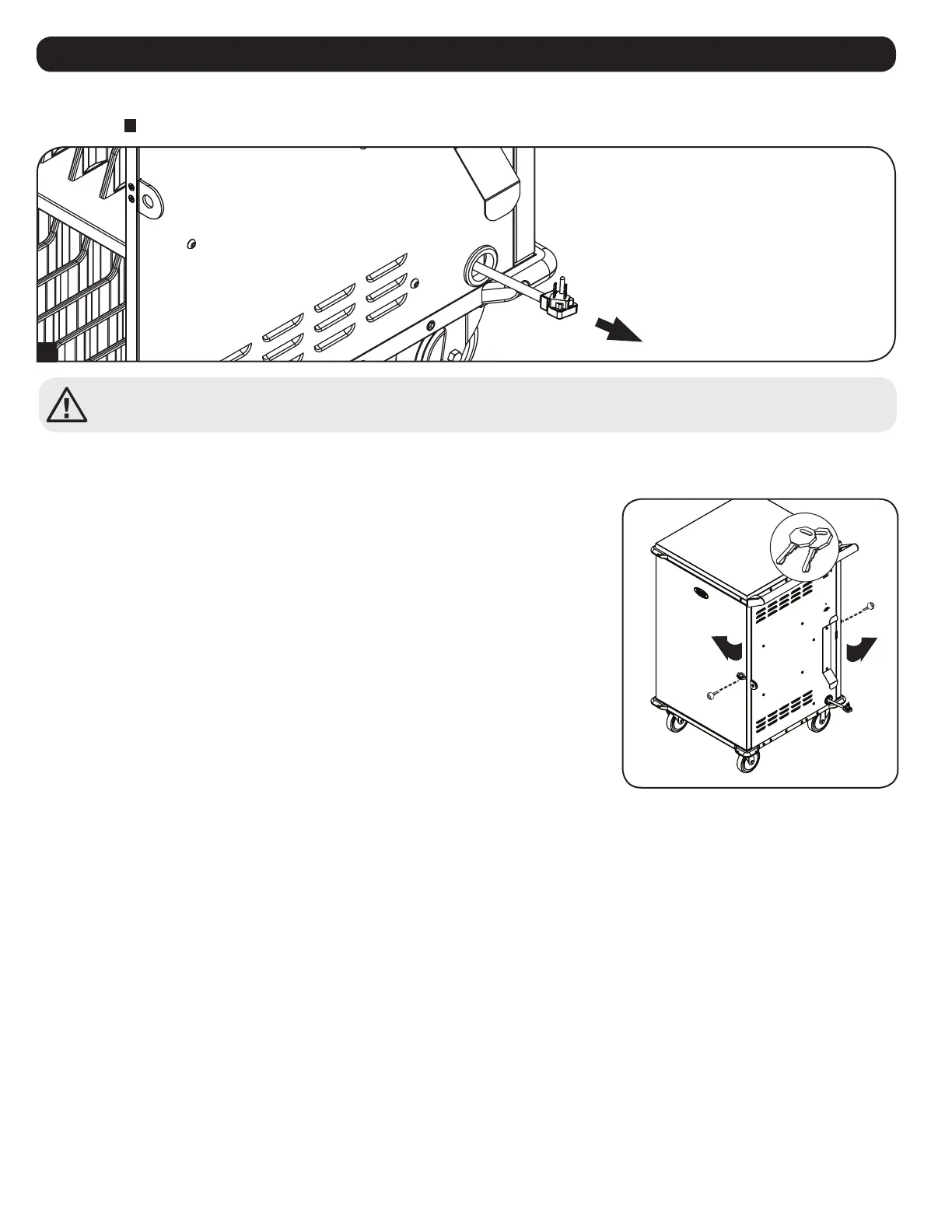
Connect all devices and place on their respective shelves. Once all devices are connected and stored, find the AC unit’s input plug and cable located
in the charging station’s bottom compartment. The input plug extends through the cable access hole grommet located on the bottom of the charging
station cabinet
D
. Plug the power cord into the nearest 3-prong, grounded wall outlet.
External Receptacles
Powered
(Internally Switched)
Red
Zone
Blue
Zone
Main Power
D
The charging station does not charge all devices simultaneously. The built-in charging timer unit alternates the charge
between zones on an hourly basis. For more information, refer to 6. Operation.



 To Next Page