9
Assembly
6a
6
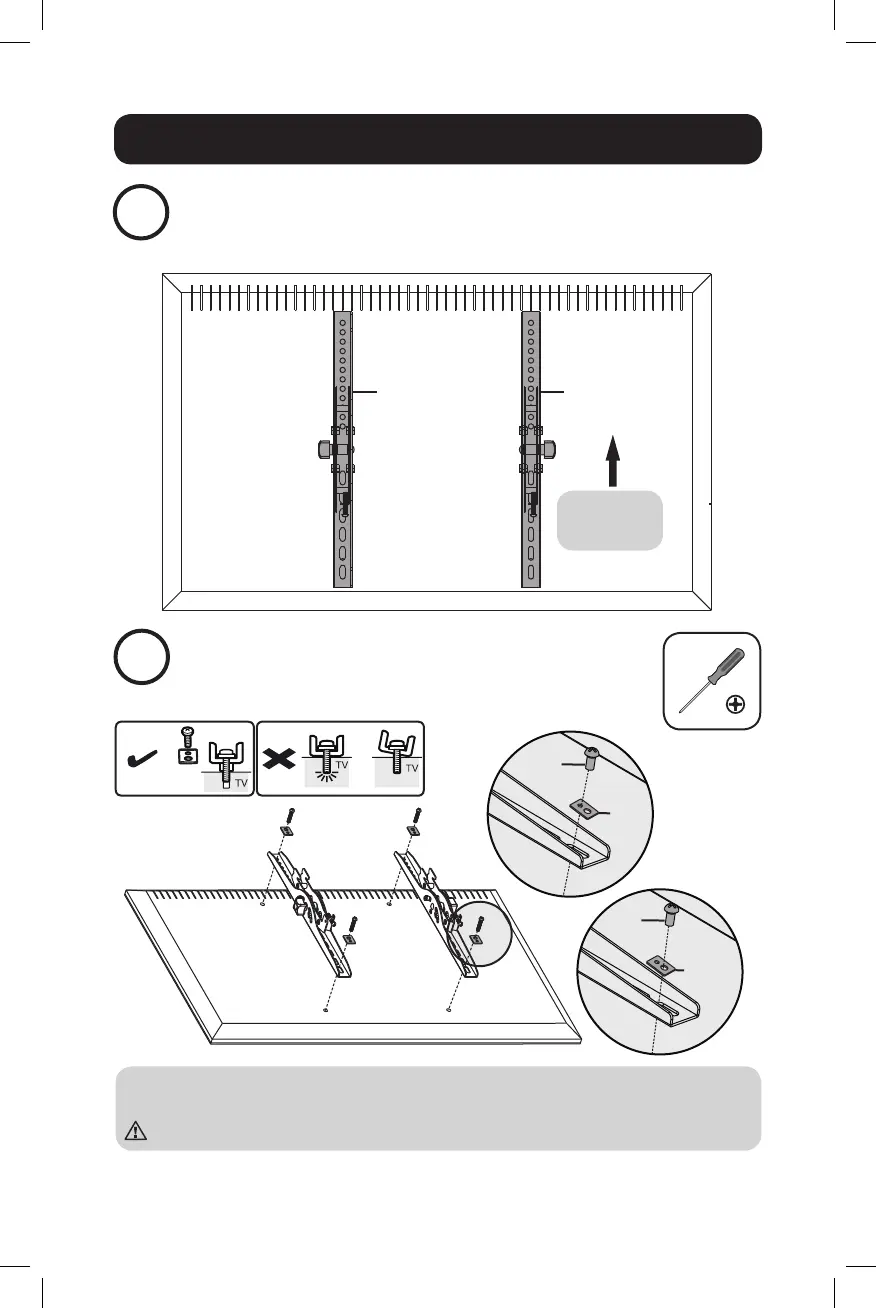
Install the Adapter Brackets
Install the Adapter Brackets
For Flat-Back Screen
Note: Choose appropriate screws and washers according to the type of screen.
• Screw the adapter brackets onto the display.
Tighten all screws, but do not over-tighten.
Top of the
display.
J K
M-A
M-F
M-F
M-B
M-C
19-04-452-933908-EN.indd 9 5/6/2019 9:43:46 AM


 To Next Page