EasyManua.ls Logo

Tripp Lite PDUMH15 - User Manual

Tripp Lite PDUMH15
12 pages
Print Icon
To Next Page IconTo Next Page
Loading...
Owner’s Manual
1111 W. 35th Street • Chicago, IL 60609 USA
(773) 869-1234 • www.tripplite.com
Important Safety Instructions
SAVE THESE INSTRUCTIONS
This manual contains instructions and warnings that should be
followed during the installation, operation and storage of this
product. Failure to heed these instructions and warnings will void
the product warranty.
Important Warnings
The PDU provides convenient multiple outlets but it DOES NOT provide surge or
line noise protection for connected equipment.
The PDU is designed for indoor use only in a controlled environment away from excess
moisture, temperature extremes, conductive contaminants, dust or direct sunlight.
Do not connect the PDU to an ungrounded outlet or extension cords or adapters that
eliminate the connection to ground.
The power requirement for each piece of equipment connected to the PDU must not exceed
the individual outlet's load rating.
The total power requirement for equipment connected to the PDU must not exceed the
maximum load rating for the PDU.
Do not drill into or attempt to open any part of the PDU housing. There are no
user-serviceable parts inside.
Do not attempt to modify the PDU, including the input plugs and power cables.
Do not attempt to use the PDU if any part of it becomes damaged.
Do not attempt to mount the PDU to an insecure or unstable surface.
Never attempt to install electrical equipment during a thunderstorm.
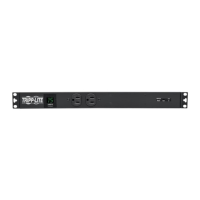
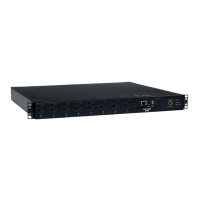
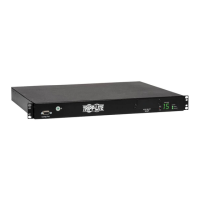
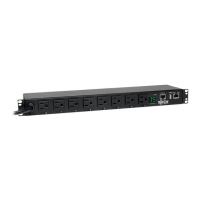
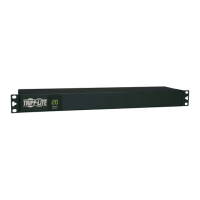
Metered
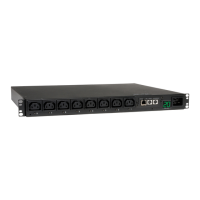
Rack PDU
PDUMH15
Español – p. 4 • Français – p. 8
Copyright © 2006 Tripp Lite. All rights reserved.
Warranty
Registration
Register online today for a
chance to win a FREE Tripp Lite
product! www.tripplite.com/warranty
200608083-- PDUMH15 owners manual.qxd 10/6/2006 9:58 AM Page 1

Other manuals for Tripp Lite PDUMH15

Question and Answer IconNeed help?

Do you have a question about the Tripp Lite PDUMH15 and is the answer not in the manual?

Summary

Important Safety Instructions

General Safety Warnings

Key warnings and precautions for safe installation and operation of the PDU.

Product Installation

Installation Configuration Options

Choose between 1U Rack, 0U Rack, Wall, or Under-Counter mounting configurations.

1 U Rack Mounting

Attach PDU to rack rails using supplied screws and mounting brackets.

0 U Rack Mounting

Reorient brackets and mount PDU vertically in 0U rack space.

Wall and Under-Counter Mounting

Secure PDU to stable surfaces like walls or under counters.

Connecting Power and Equipment

Plug PDU into a grounded outlet and connect equipment, minding load limits.

Product Features

NEMA 5-15 P Input Plug

The standard plug for connecting the PDU to a power source.

NEMA 5-15 R Outlets

The receptacles on the PDU for connecting equipment.

Circuit Breaker

Protects the PDU from overload; trips and pops up when current exceeds rating.

Ammeter

Digital display showing the total electrical current used by the PDU in amperes.

Grounding Lug

Connection point for grounding the PDU to ensure electrical safety.

Warranty and Registration Information

Limited Lifetime Warranty

Details on the lifetime warranty, coverage, and service procedures.

Warranty Registration

Instructions on how to register the product warranty online for a chance to win prizes.

Regulatory Compliance

Information on series numbers for compliance certifications and identification.

Summary

Important Safety Instructions

General Safety Warnings

Key warnings and precautions for safe installation and operation of the PDU.

Product Installation

Installation Configuration Options

Choose between 1U Rack, 0U Rack, Wall, or Under-Counter mounting configurations.

1 U Rack Mounting

Attach PDU to rack rails using supplied screws and mounting brackets.

0 U Rack Mounting

Reorient brackets and mount PDU vertically in 0U rack space.

Wall and Under-Counter Mounting

Secure PDU to stable surfaces like walls or under counters.

Connecting Power and Equipment

Plug PDU into a grounded outlet and connect equipment, minding load limits.

Product Features

NEMA 5-15 P Input Plug

The standard plug for connecting the PDU to a power source.

NEMA 5-15 R Outlets

The receptacles on the PDU for connecting equipment.

Circuit Breaker

Protects the PDU from overload; trips and pops up when current exceeds rating.

Ammeter

Digital display showing the total electrical current used by the PDU in amperes.

Grounding Lug

Connection point for grounding the PDU to ensure electrical safety.

Warranty and Registration Information

Limited Lifetime Warranty

Details on the lifetime warranty, coverage, and service procedures.

Warranty Registration

Instructions on how to register the product warranty online for a chance to win prizes.

Regulatory Compliance

Information on series numbers for compliance certifications and identification.

Tripp Lite PDUMH15 Specifications

General IconGeneral
Input Voltage120V
Input Current15A
Output Capacity1800W
Output Voltage120V
Input PlugNEMA 5-15P
Rack Size1U
Input Frequency50/60 Hz
Maximum Total Current Draw15A
Outlet TypeNEMA 5-15R
Form FactorRackmount
Mounting OptionsHorizontal
Cord Length10 ft
Operating Temperature0°C to 40°C
Dimensions1.75" H x 19" W x 10.5" D
Weight4.5 lbs.

Related product manuals