25
Instalación
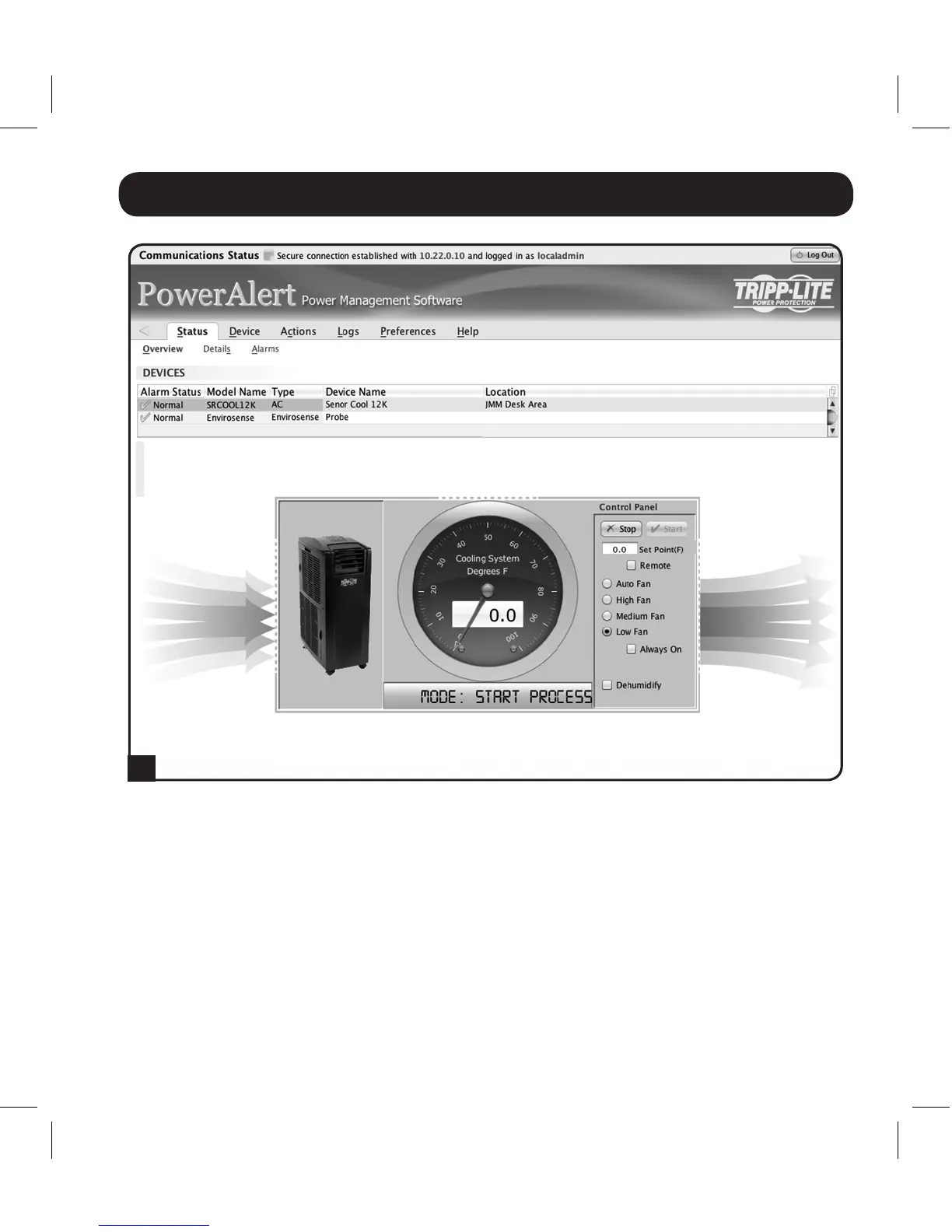
AhoraelSRCOOL12Kempezaráaenfriarcuandolalecturadetemperaturaenel
EnviroSenseigualeoexcedaelvalordecalibraciónqueustedingresó.Cuandola
temperaturacaigapordebajodeestepuntodecalibración,launidaddejaráde
enfriar.Siestáseleccionadoelcuadrode'SiempreEncendido',cuandolaunidadde
enfriamientosedetengalosventiladorescontinuaránfuncionando.Sinoestá
seleccionadoelcuadrode'SiempreEncendido',seapagaránlosventiladoresyse
apagaráapantalladelSRCOOL12K.Unavezquelatemperaturaalcance
nuevamenteelpuntodecalibración,launidaddeenfriamientoreiniciaráyempezará
a enfriar hasta que la temperatura reportada por el EnviroSense vuelva a estar por
debajodelputodecalibración.Este ciclo continuará indefinidamente hasta que
seleccione STOP en la interfaz del SRCOOLNET.
B
13-08-187 93-32CA.indb 25 9/27/2013 9:25:25 AM



 To Next Page