11
3. Web Console continued
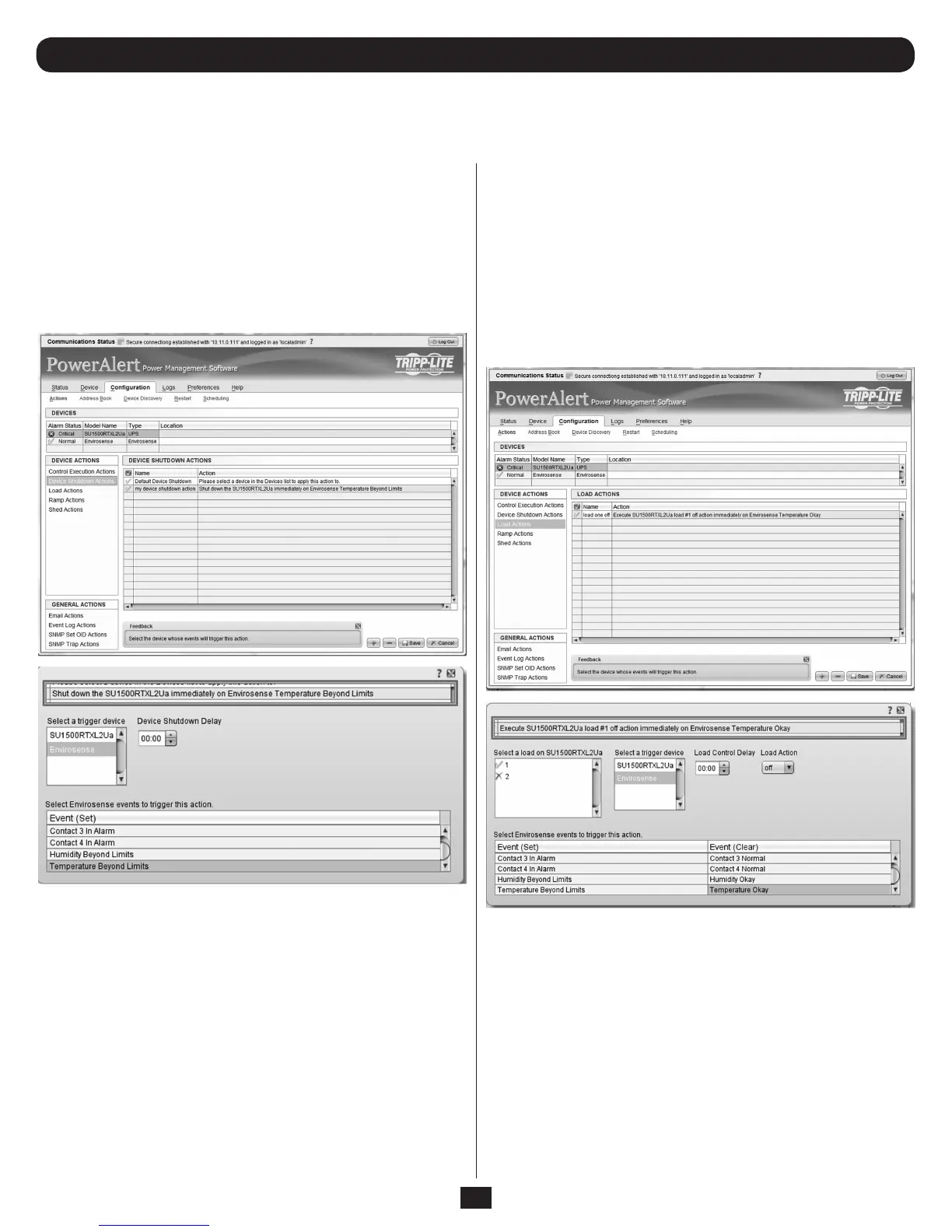
Device Shutdown Actions
Device shutdown actions allow you to shutdown a device when a
user-defined trigger occurs. Triggers include various alarms and even
ENVIROSENSE readings. Device shutdown also includes the option to
be put on a delay.
To add an action, click the [+] button to activate a row and enter the
appropriate data. To delete an action, click on the action that is to be
deleted and then click the [-] button and confirm the deletion and then
the [Save] button to commit the changes.
3.6 Actions Menu continued
3.6.1.1 Actions > Event Actions > Device Actions continued
Load Actions
A load action is a device specific action that can be executed when an
alarm trigger occurs. An example of a load action could be that when the
device load goes above the user defined threshold and triggers a ‘Load
Level Above Threshold Event,’ a specific load is turned off to reduce the
load. The amount of controllable loads available on devices will vary from
device to device.
To add an action, click the [+] button to activate a row and enter the
appropriate data. To delete an action, click on the action that is to be
deleted and then click the [-] button and confirm the deletion and then
the [Save] button to commit the changes.
Figure 3-16: Device Shutdown
Figure 3-17: Load Actions



 To Next Page