Need help?
Do you have a question about the Tripp Lite UPB-05K2-1U and is the answer not in the manual?
Outlines the key capabilities and design aspects of the 5200mAh Mobile Power Bank.
Lists all the items included within the product's packaging for the user.
Specifies the type of devices compatible with and required for the power bank's operation.
Details additional accessories that can be purchased to enhance product functionality.
Instructions for charging external mobile devices using the power bank's USB-A port.
Guidelines on how to recharge the power bank itself using a USB charger.
Essential safety precautions for proper handling, usage, and care of the power bank.
Provides technical data, dimensions, weight, and protection features of the power bank.
Information on the 1-year limited warranty and how to register the product.
Details FCC compliance rules for digital devices and potential interference management.
Explanation of series numbers used for product identification and regulatory compliance.
Guidance for European Union customers regarding WEEE directive and equipment recycling.
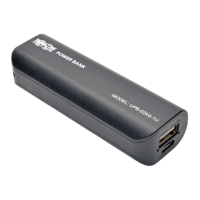
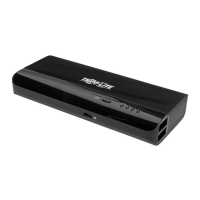
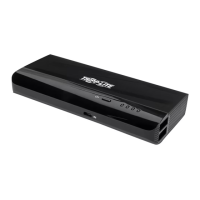
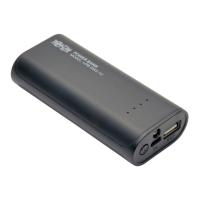
This document describes the Tripp Lite 5200mAh Mobile Power Bank, Model UPB-05K2-1U, a portable device designed to charge mobile electronics without the need for a power outlet.
The Tripp Lite 5200mAh Mobile Power Bank serves as a portable power source for various mobile devices such as smartphones and tablets. It is equipped with a 5200mAh capacity battery, capable of delivering 5V 1A of power to connected devices. This allows users to charge their devices for extended periods, even when away from traditional power sources. The power bank features a built-in LED flashlight, adding an extra layer of utility for users in low-light conditions. For safety, the device incorporates multiple protection features, including safeguards against short circuits, over-voltage, over-current, over-charge, and over-discharge, ensuring safe and reliable charging for both the power bank and the connected devices.
The power bank is designed with a sleek, low-profile form factor, making it highly portable and convenient for on-the-go use. To charge a USB device, users connect their mobile device to the power bank's USB-A port using either the included USB Micro-B cable or another suitable USB cable for their device. Once connected, the device will automatically begin charging. The power bank includes four LED indicators that provide real-time feedback on the remaining battery capacity. When charging a USB device, these LEDs illuminate in specific combinations to indicate the current capacity levels:
To charge the mobile power bank itself, users connect its Micro-B port to a USB-A port on a computer or a USB charger using the included USB Micro-B cable. During charging, the LED indicators will also illuminate in various combinations to show the power bank's charging progress and current battery capacity:
To ensure optimal performance and longevity of the power bank, several maintenance guidelines are provided. It is recommended to fully charge the mobile power bank prior to its first use. For charging the power bank, it is advised to use the included USB Micro-B cable to ensure compatibility and efficient charging. The battery should be charged at least once every three months to prevent shortening its overall lifespan. When the power bank's battery is low, the LED lights will turn off during device charging. Users should recharge the power bank as soon as possible in such instances to avoid further shortening the battery life. Once a connected device is fully charged, it is recommended to disconnect it from the power bank to prevent unnecessary drain on the power bank's battery. In cases where the mobile power bank enters a protection mode (indicated by LEDs turning off and the power bank not charging), often caused by issues like a short circuit, an external charger should be used to replenish the charge. This action helps to reset the device and return it to normal operation. Users should keep the power bank away from fire and avoid exposing it to temperatures above 140°F (60°C) when not in use, or above 113°F (45°C) during operation. The power bank should not be immersed in water or allowed to get wet. Corrosive cleaners should not be used to clean the device. To prevent electrolyte leakage from the lithium-ion battery, users should avoid squeezing or puncturing the power bank. Disassembly, modification, or repair of the mobile power bank by unauthorized personnel is strongly discouraged. Using damaged cables or power chargers to charge the mobile power bank is not recommended. Finally, for environmental responsibility, users are encouraged to recycle the device at an appointed disposal location for lithium-ion batteries.
 General
| Category | Accessories |
|---|---|
| Model | UPB-05K2-1U |
| Manufacturer | Tripp Lite |
| Input Voltage | 120V |
| Output Voltage | 120V |
| Form Factor | Rackmount |
| Circuit Breaker | Yes |
| Material | Metal |
| Color | Black |
| Type | Power Distribution Unit |

 To Next Page