EasyManua.ls Logo

Tristan Auron BT2D7012 - User Manual

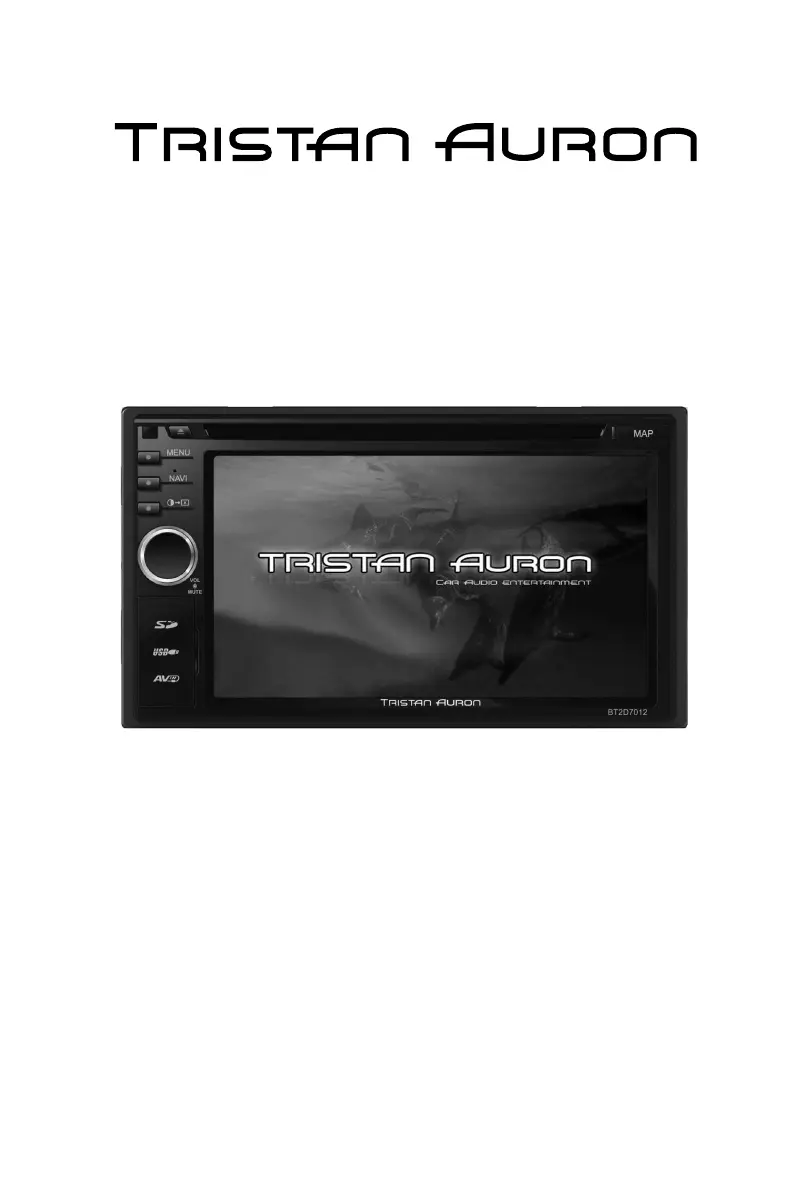
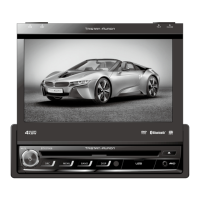
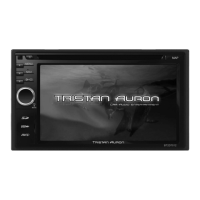
Tristan Auron BT2D7012
58 pages
Go to English
Print Icon
To Next Page IconTo Next Page
Loading...
Betriebsanleitung
DVD/VCD/CD/MP3/MP4/SD/USB PLAYER
FM/MW TUNER
TV, GPS & Bluetooth
BT2D7012

Table of Contents

Questions and Answers

  • T
    Trevor CochranAug 20, 2025
    Why my Tristan Auron BT2D7012 Car Video System unit can not power on?
    • B
      Brenda VelasquezAug 20, 2025
      If your Tristan Auron Car Video System unit isn't powering on, there could be a few reasons. First, check if the unit fuse is blown and replace it with a new fuse of the correct rating. Also, verify the car battery fuse and replace if necessary. If those aren't the issue, try resetting the unit as it may be due to illegal operation.
  • B
    Brian SaundersAug 22, 2025
    Why is the sound quality poor or distorted on my Tristan Auron BT2D7012?
    • J
      julierobertsonAug 22, 2025
      If you are experiencing poor sound quality or distortion with your Tristan Auron Car Video System, make sure you are using an original disc, not a pirated one. Check that the speaker power rating matches the unit's requirements, and replace the speakers if necessary. Also, verify all wiring connections to ensure they are correct and that the speaker is not shorted.
  • R
    robert57Aug 25, 2025
    What to do if there is no or low audio output from Tristan Auron BT2D7012?
    • Y
      Yvonne EnglishAug 25, 2025
      If you're getting no or low audio output from your Tristan Auron Car Video System, start by checking the audio output connections to ensure they are properly wired. Increase the volume level to see if that resolves the issue. If not, your speakers may be damaged and need replacement. Also, ensure the channel balance isn't heavily biased to one side by adjusting it to the center position. Finally, make sure the speaker wiring isn't in contact with any metal parts of the car; if it is, insulate the connections.
  • C
    Christian HuynhAug 26, 2025
    Why is there a flashing image or interference on the screen of my Tristan Auron Car Video System?
    • G
      George SerranoAug 26, 2025
      If your Tristan Auron Car Video System displays a flashing image or interference, it could be due to several factors. First, ensure that the color system of the DVD disc matches the monitor settings; adjust as needed. If you're using a pirated disc, switch to an original. Check the video cables for damage and replace if necessary. Finally, verify that all video signal connections are properly wired.
  • B
    blopezAug 27, 2025
    Why does my Tristan Auron BT2D7012 Car Video System reset when the engine is off?
    • B
      Brandi HuberAug 27, 2025
      If your Tristan Auron Car Video System unit resets itself when the engine is off, it's likely due to an incorrect connection between the ACC and BATT wires. Check the wiring and correct it to resolve this issue.
  • T
    Tammy HarrisonAug 29, 2025
    What to do if disc does not play back in Tristan Auron BT2D7012?
    • N
      Natalie FlemingAug 29, 2025
      If your Tristan Auron Car Video System disc does not play back, it could be due to several reasons: * The disc may be warped or scratched, so use a disc in good condition. * The disc might be dirty or wet, so clean it with a soft cloth. * You might be using an incompatible disc, so use a compatible disc. * The disc could be inserted upside down, so insert it with the label side up. * The disc region code may not be compatible with the unit, so use a disc with the proper region code.
  • E
    Elizabeth GreenAug 31, 2025
    Why is warning information always shown on my Tristan Auron BT2D7012?
    • T
      Tasha MccoyAug 31, 2025
      If your Tristan Auron Car Video System is showing warning information at all times, the parking brake wiring is likely incorrect. Check the wiring and correct it.
  • J
    Jeffrey SotoSep 2, 2025
    What to do if I cannot insert a disc into my Tristan Auron BT2D7012?
    • S
      Shannon DennisSep 2, 2025
      If your Tristan Auron Car Video System cannot insert a disc, it is possible that a disc is already inside the unit. Eject the current disc before inserting a new one.
  • P
    Paul WangSep 4, 2025
    How to make Tristan Auron BT2D7012 monitor open automatically?
    • L
      lisamooreSep 4, 2025
      If your Tristan Auron Car Video System monitor does not open automatically, the TFT Auto Open feature may be turned off. Turn TFT Auto Open on in the settings.
  • D
    Dylan PerezSep 6, 2025
    What does 'Region Error' mean on my Tristan Auron BT2D7012 Car Video System?
    • L
      Lisa BaileySep 6, 2025
      If your Tristan Auron Car Video System displays 'Region Error', it means the DVD region code is not compatible with the unit. Use a disc with a compatible region code.

Summary

Safety Precautions

Before Using

Front Panel

Description of the unit's front panel controls and connectors.

Remote Control

Explanation of the remote control's functions and buttons.

Basic Operations

Power On; Off

Instructions for turning the unit on and off.

Playing Source Selection

How to choose between different media sources.

EQ Menu

Accessing and understanding audio equalization settings.

Select Preset Equalizer

How to choose from predefined sound profiles.

Adjust EQ Parameters

Manual adjustment of equalizer frequency bands.

Adjust FAD BAL

Fine-tuning speaker balance and subwoofer levels.

Radio Mode

Tuner Menu

Overview of radio functions and interface elements.

Tune

Methods for tuning to radio stations.

Preset Station

Storing and recalling favorite radio stations.

Adjust RDS Settings

Configuring RDS options like TA, CT, PTY.

Playback Mode

Controlling Playback

Basic operations for playing media.

Connect a USB Device

How to connect and use USB storage.

Insert a SD Card

How to insert and use SD cards.

Play;Pause

Controls for starting, pausing, and resuming playback.

Repeat

Setting repeat modes for media playback.

Bluetooth Mode

Pair the Bluetooth-enabled Devices

Process for connecting Bluetooth devices.

Make a Call

Instructions for making phone calls via Bluetooth.

Settings

Adjust Bluetooth Settings

Fine-tuning Bluetooth connectivity and pairing.

Other Modes

GPS

Accessing and using the navigation system.

Specifications

Troubleshooting

Tristan Auron BT2D7012 Specifications

General IconGeneral
BrandTristan Auron
ModelBT2D7012
CategoryCar Video System
LanguageEnglish

Related product manuals