4
TRI153.INS.047.1 - 13 May 2021
RTM75 - 75kW Operating Manual
www.tritium.com.au
Veel®isaregisteredtrademarkofTritiumPtyLtd.©2020TritiumPtyLtd
Operating Instructions:
Option A — Connect plug before payment authentication
4. Authentication
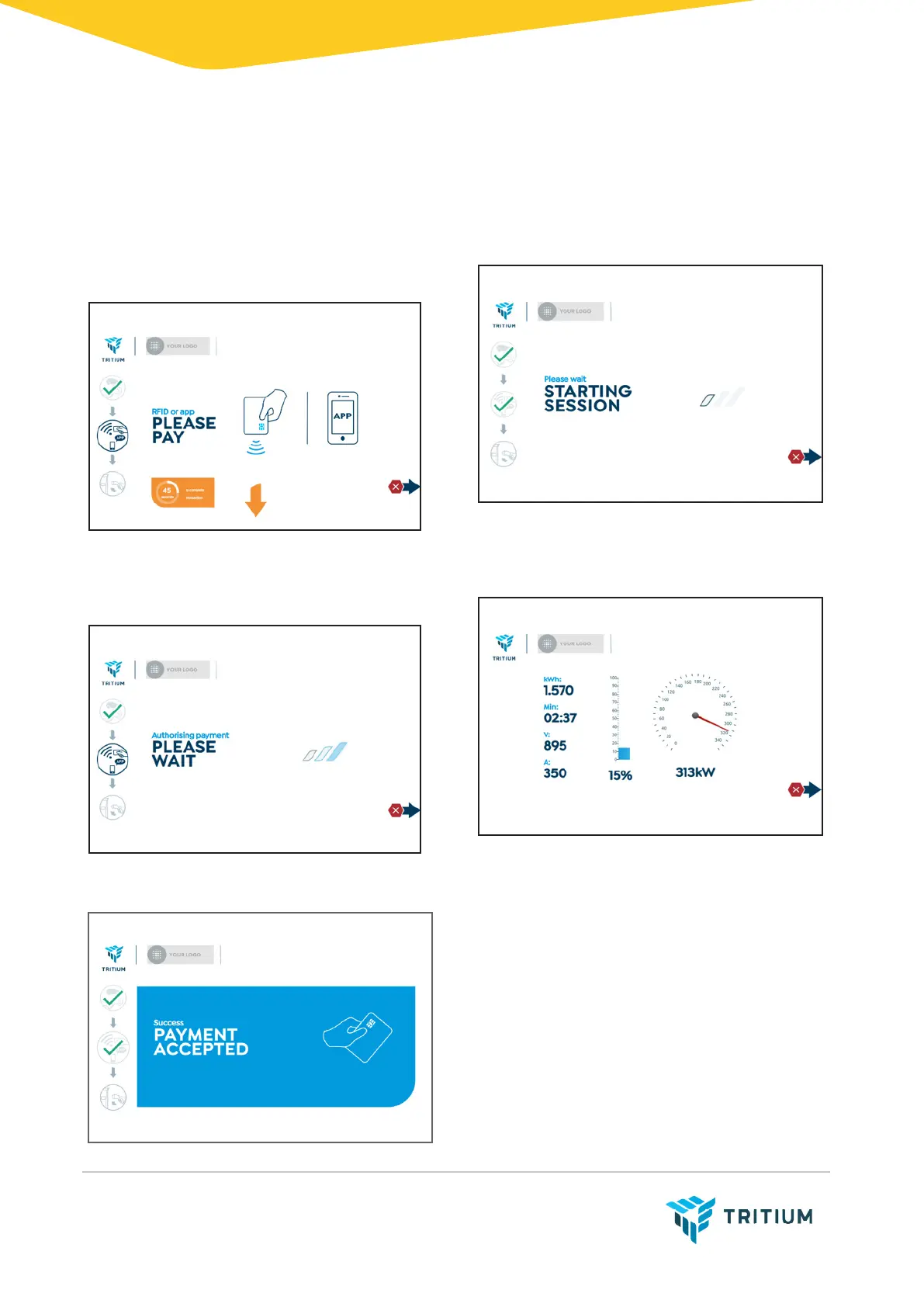
The charger requests payment authen-
tication. The plug icon is ticked, and the
pay icon is highlighted.
Swipe your bank or RFID card over the
payment terminal.
The charger processes the payment.
On successful payment, the pay icon
shows a tick.
5. Charge session
The charger starts the charge session.
The charge session starts
successfully. The active session and the
arrow for the stop button are displayed.


 To Next Page