EasyManua.ls Logo

Triton Kunai - User Manual

Triton Kunai
170 pages
Print Icon
To Next Page IconTo Next Page
Loading...
User Guide
[ENGLISH/06-13]

Table of Contents

Question and Answer IconNeed help?

Do you have a question about the Triton Kunai and is the answer not in the manual?

Summary

Product Package Contents

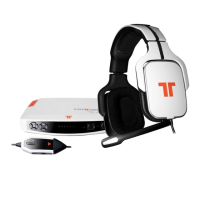
Kunai Headset Unit

The primary audio device consisting of earcups and a headband.

Xbox LIVE Communication Cables

Cables specifically designed for Xbox LIVE voice communication.

RCA Audio Connection Cable

Cable used for audio signal transmission via RCA connectors.

In-line Control Unit

A control unit on the cable for adjusting settings.

Analog Audio Adapter Device

Device to adapt audio signals for different console ports.

Detachable Microphone Unit

Detachable microphone unit for voice input.

Quick Start Guide Booklet

A brief guide to get the product set up quickly.

Microphone Connection Guide

Align Microphone Connector

Align arrows on the microphone and headset for proper connection.

Secure Microphone Insertion

Insert microphone into headset earcup and twist to secure.

Detaching the Microphone

Reverse connection steps to detach the microphone from the headset.

In-line Control Functions

Microphone Mute Switch

Switch to mute the microphone, indicated by an orange area.

Voice Volume Adjustment

Adjust volume for other players' voices.

Game Audio Volume Adjustment

Adjust volume for game audio.

Xbox LIVE Cable Port

Port for connecting the Xbox LIVE communication cable.

Speaker Tag Customization

Removing Speaker Tags

Pull on slots to remove speaker tags held by magnets.

Attaching Speaker Tags

Align tabs and tilt speaker tag forward to secure with magnets.

Xbox 360 HDMI Setup

Xbox 360 HDMI Console Connections

Connect USB, RCA, and Analog Audio Adapter to the console.

Xbox 360 HDMI Cable Connections

Connect headset to controller and Xbox LIVE cable to controller and controller.

Xbox 360 Component;Composite;VGA Setup

Xbox 360 Component Console Connections

Connect USB, RCA, and AV cable to the console.

Xbox 360 Component Cable Connections

Connect headset to controller and Xbox LIVE cable to controller and controller.

PlayStation 3 HDMI Setup

PS3 HDMI Console Connection

Connect USB, RCA, and headset to the PS3 and controller.

PS3 Network Audio Configuration

PS3 Audio Output Configuration

Change audio output in Sound Settings to "Audio Input Connector/SCART/AV Multi."

PS3 Audio Device Configuration

Set input/output to "TRITTON KUNAI Headset" in Accessory Settings.

PlayStation 3 Component;Composite Setup

PS3 Component Console Connection

Connect USB, RCA, and headset to the PS3 and controller.

Wii U & Mobile Device Connection

3.5 mm Device Connection

Connect the 3.5mm jack to the headphone output on the device.

Product Warranty Details

Limited Warranty Terms

Product warranted against defects for two years, for the first end-user purchaser.

Warranty Service Steps

Steps to obtain warranty service, including obtaining an RA number and shipping.

Warranty Support Contact Info

Phone numbers and website for North America and Europe warranty support.

Customer Support Information

Online Support Website

Access online support and submit tickets via http://support.madcatz.com.

Telephone Support Numbers

Contact North American, UK, and European telephone support for assistance.

Product Safety Cautions

Usage and Safety Advice

Advice on hearing protection, proper use, electrical safety, and cord handling.

Choking Hazard Alert

Warning about small parts posing a choking hazard for young children.

Regulatory Compliance Statements

FCC, IC, and EU Compliance

Information on FCC, IC compliance, and EU Declaration of Conformity.

Summary

Product Package Contents

Kunai Headset Unit

The primary audio device consisting of earcups and a headband.

Xbox LIVE Communication Cables

Cables specifically designed for Xbox LIVE voice communication.

RCA Audio Connection Cable

Cable used for audio signal transmission via RCA connectors.

In-line Control Unit

A control unit on the cable for adjusting settings.

Analog Audio Adapter Device

Device to adapt audio signals for different console ports.

Detachable Microphone Unit

Detachable microphone unit for voice input.

Quick Start Guide Booklet

A brief guide to get the product set up quickly.

Microphone Connection Guide

Align Microphone Connector

Align arrows on the microphone and headset for proper connection.

Secure Microphone Insertion

Insert microphone into headset earcup and twist to secure.

Detaching the Microphone

Reverse connection steps to detach the microphone from the headset.

In-line Control Functions

Microphone Mute Switch

Switch to mute the microphone, indicated by an orange area.

Voice Volume Adjustment

Adjust volume for other players' voices.

Game Audio Volume Adjustment

Adjust volume for game audio.

Xbox LIVE Cable Port

Port for connecting the Xbox LIVE communication cable.

Speaker Tag Customization

Removing Speaker Tags

Pull on slots to remove speaker tags held by magnets.

Attaching Speaker Tags

Align tabs and tilt speaker tag forward to secure with magnets.

Xbox 360 HDMI Setup

Xbox 360 HDMI Console Connections

Connect USB, RCA, and Analog Audio Adapter to the console.

Xbox 360 HDMI Cable Connections

Connect headset to controller and Xbox LIVE cable to controller and controller.

Xbox 360 Component;Composite;VGA Setup

Xbox 360 Component Console Connections

Connect USB, RCA, and AV cable to the console.

Xbox 360 Component Cable Connections

Connect headset to controller and Xbox LIVE cable to controller and controller.

PlayStation 3 HDMI Setup

PS3 HDMI Console Connection

Connect USB, RCA, and headset to the PS3 and controller.

PS3 Network Audio Configuration

PS3 Audio Output Configuration

Change audio output in Sound Settings to "Audio Input Connector/SCART/AV Multi."

PS3 Audio Device Configuration

Set input/output to "TRITTON KUNAI Headset" in Accessory Settings.

PlayStation 3 Component;Composite Setup

PS3 Component Console Connection

Connect USB, RCA, and headset to the PS3 and controller.

Wii U & Mobile Device Connection

3.5 mm Device Connection

Connect the 3.5mm jack to the headphone output on the device.

Product Warranty Details

Limited Warranty Terms

Product warranted against defects for two years, for the first end-user purchaser.

Warranty Service Steps

Steps to obtain warranty service, including obtaining an RA number and shipping.

Warranty Support Contact Info

Phone numbers and website for North America and Europe warranty support.

Customer Support Information

Online Support Website

Access online support and submit tickets via http://support.madcatz.com.

Telephone Support Numbers

Contact North American, UK, and European telephone support for assistance.

Product Safety Cautions

Usage and Safety Advice

Advice on hearing protection, proper use, electrical safety, and cord handling.

Choking Hazard Alert

Warning about small parts posing a choking hazard for young children.

Regulatory Compliance Statements

FCC, IC, and EU Compliance

Information on FCC, IC compliance, and EU Declaration of Conformity.

Triton Kunai Specifications

General IconGeneral
Connectivity TechnologyWired
Frequency Response20Hz - 20kHz
MicrophoneYes
Cable Length1.2 m
Connection3.5mm
Form FactorOver Ear

Related product manuals