[4]
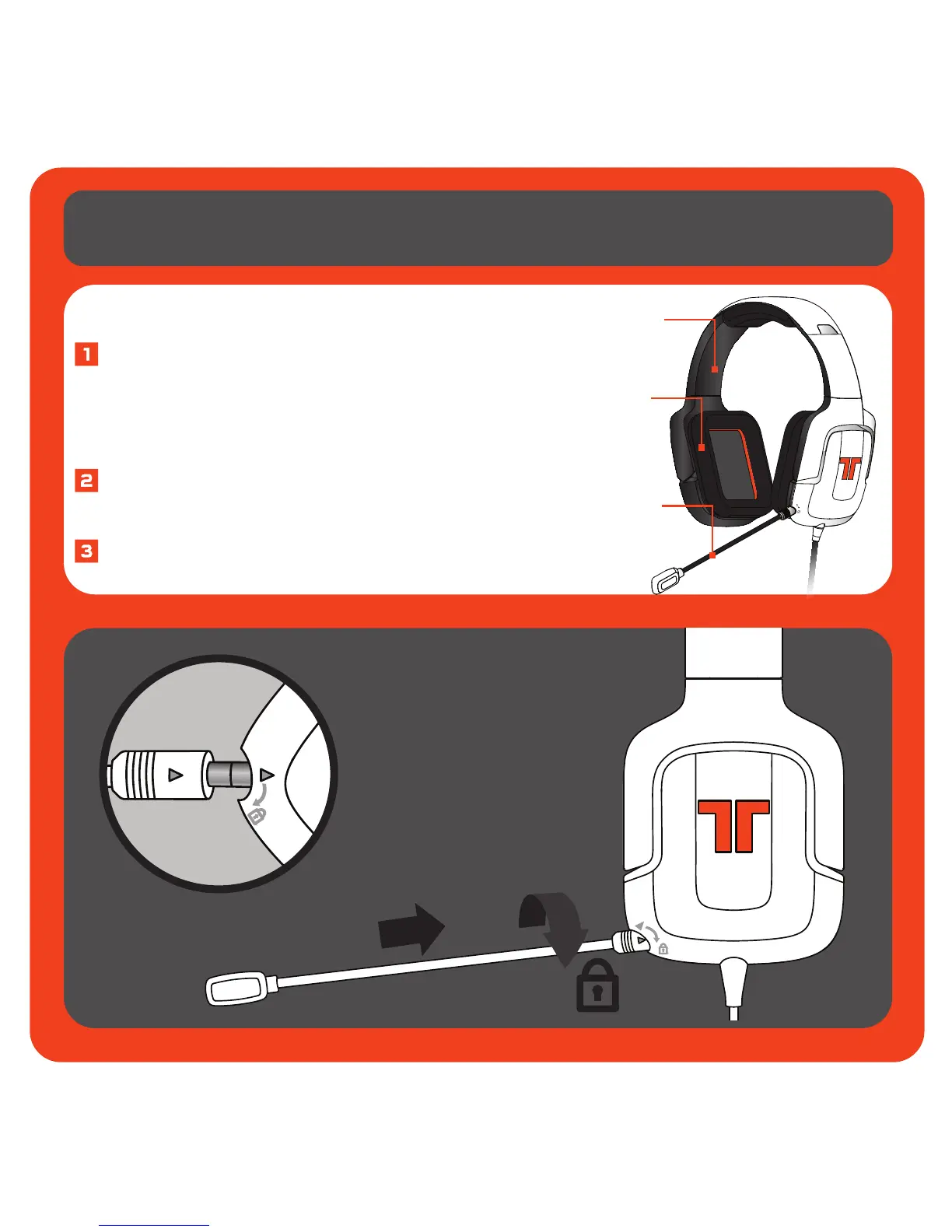
Microphone Insertion Directions
Insert the microphone into the
headset by lining up the small dot
on the microphone with the small
dot on the headset.
Firmly press the microphone
into place.
Rotate the microphone in a
clockwise direction until it stops.
Adjustable Headrail
Plush Headrail and
Earcup Padding
Removable, Flexible
Microphone
Headset



 To Next Page