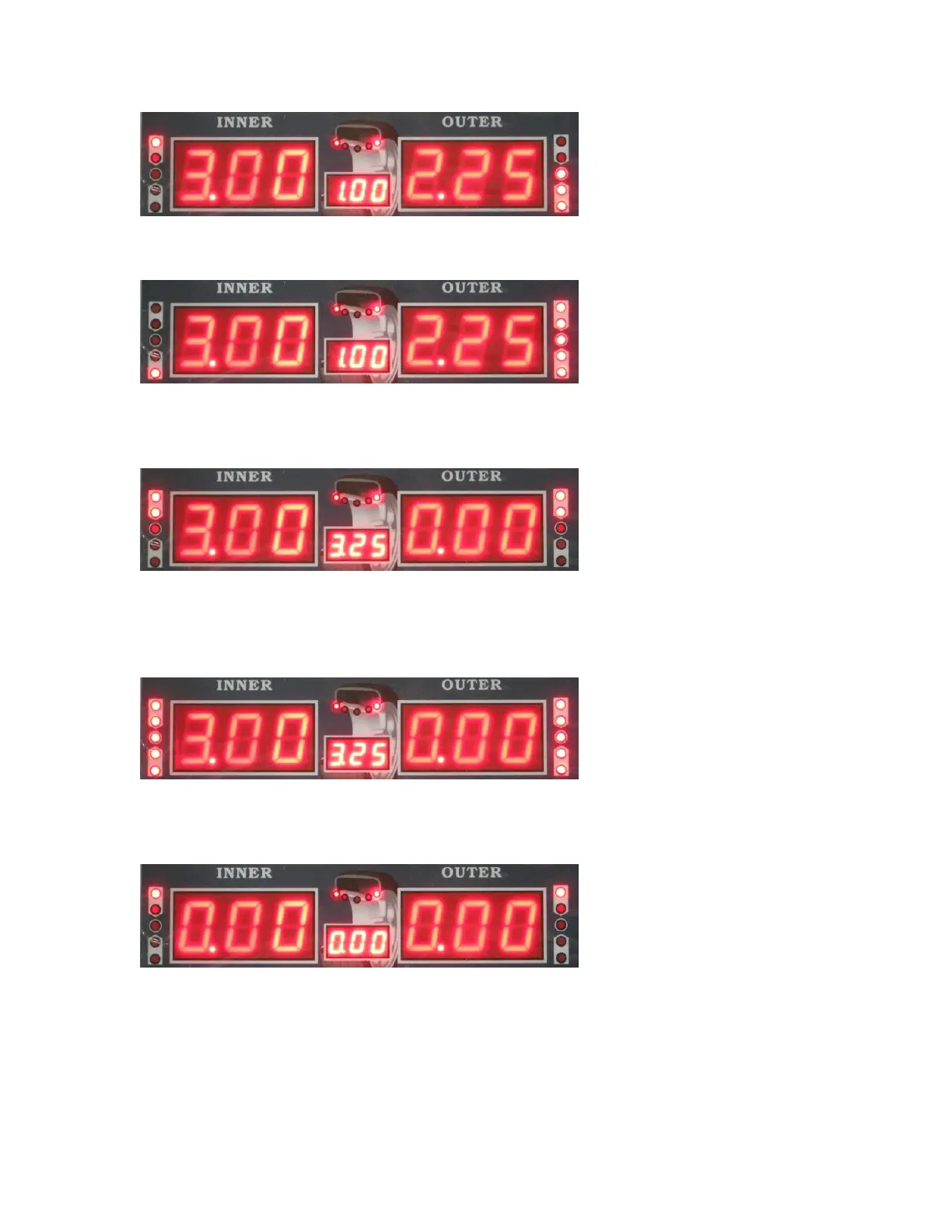
Use your hand to rotate the tire until all 5 of the lights in the OUTSIDE UNBALANCE
POINT are on, as shown here:
Then place the 2.25 Ounce weight that came with the machine at 12 0’clock on the
outside of the rim using the provided wheel hammer. After placing the weight, close the
hood and spin the wheel. The following screen will appear:
You have now zeroed out the balance for the outside of the rim.
Use your hand to rotate the tire until all 5 of the lights in the INSIDE UNBALANCE
POINT are on, as shown here:
Now place the 3.00 Ounce weight that came with the machine at 12 0’clock on the
outside of the rim using the provided wheel hammer. After placing the weight, close the
hood and spin the wheel. The following screen will appear:
You zeroed out both sides and successfully balanced the wheel.
Please note that the machine is showing the wheel is balanced within the parameters you
set in the system settings, specifically the “least unbalance value setting”. In the above
balancing example, my “least unbalance value setting” was set to .70 ounces. After


 To Next Page