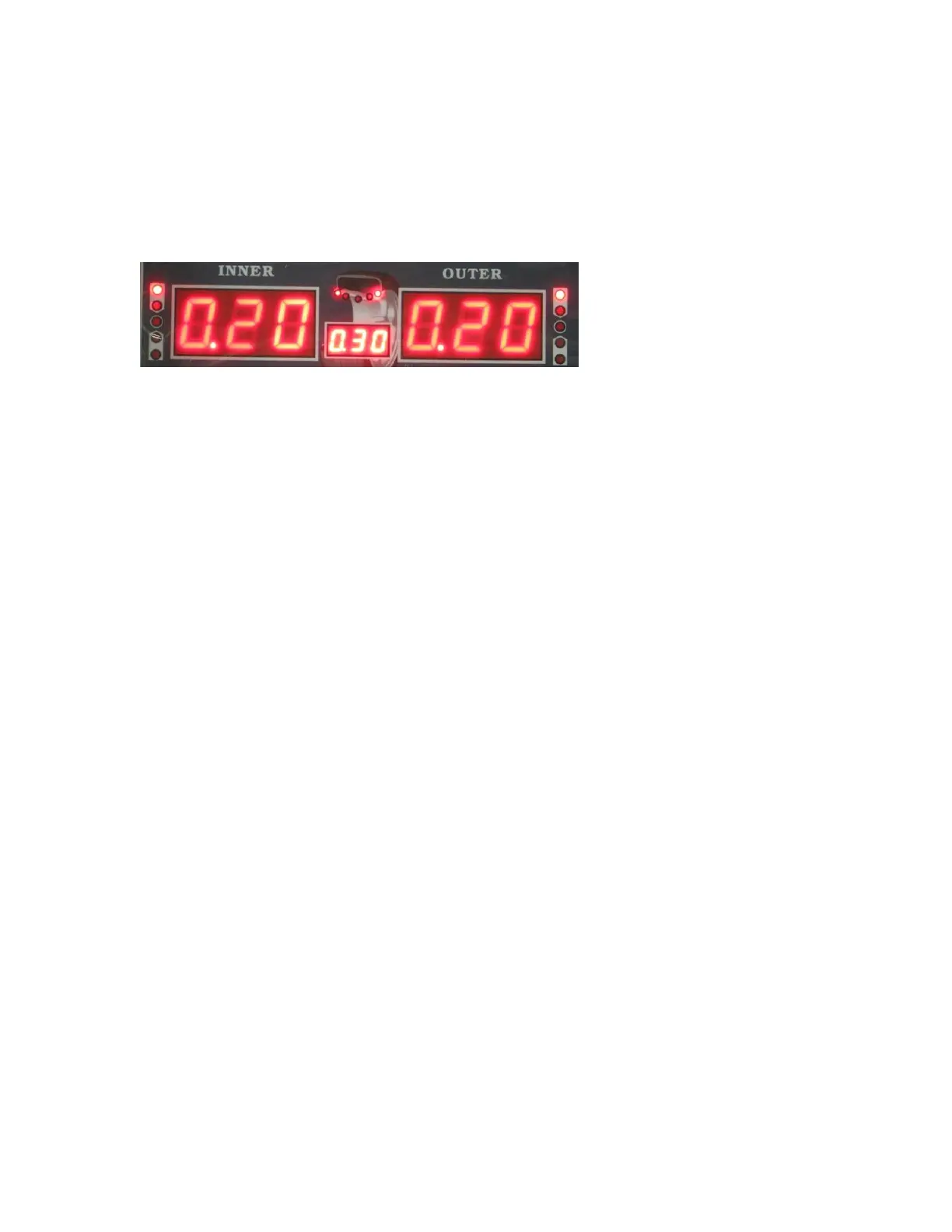
spinning the wheel and placing the weight, any unbalance value remaining that was less
than .70 ounces was ignored and instead the machine showed it zeroed out.
This is where the FINE button comes into function. At anytime while balancing, you can
press the FINE button to show the exact unbalance value. The most accurate values are
1 gram or .10 Ounce using the FINE button. Please see the following screen. This is the
remaining unbalance value after the balancing example shown above was performed.
As you can see, the wheel is still technically out of balance by .20 Ounces on both sides.
However, because I had the “least unbalance value setting” on .70 Ounces, the machine
ignored the remaining .20 ounces because it was less than .70 ounces.
.20 Ounces may or may not make a significant difference depending on the size of the
wheel and rim.
The FINE button function can be used in any of the balancing modes.
9. Static Mode
Press the DYNAMIC/STATIC MODE KEY to switch between Static and Dynamic
mode. In static mode, everything functions the same as in Dynamic mode. However in
Static mode you are only balancing the wheel by placing weight on the outside of the rim
instead of on both sides.
10. ALU1-3 modes
This mode is used for Rims that do not accept clip on weights on one side or both sides.
All parameters will be entered the same as in Dynamic mode. Please refer to the
STICKING AND CLAMPING WEIGHT POSITION INDICATOR on the display
screen as wheel as the following diagram to show where to place the weights on the rim.


 To Next Page