ELECTRICAL SYSTEM
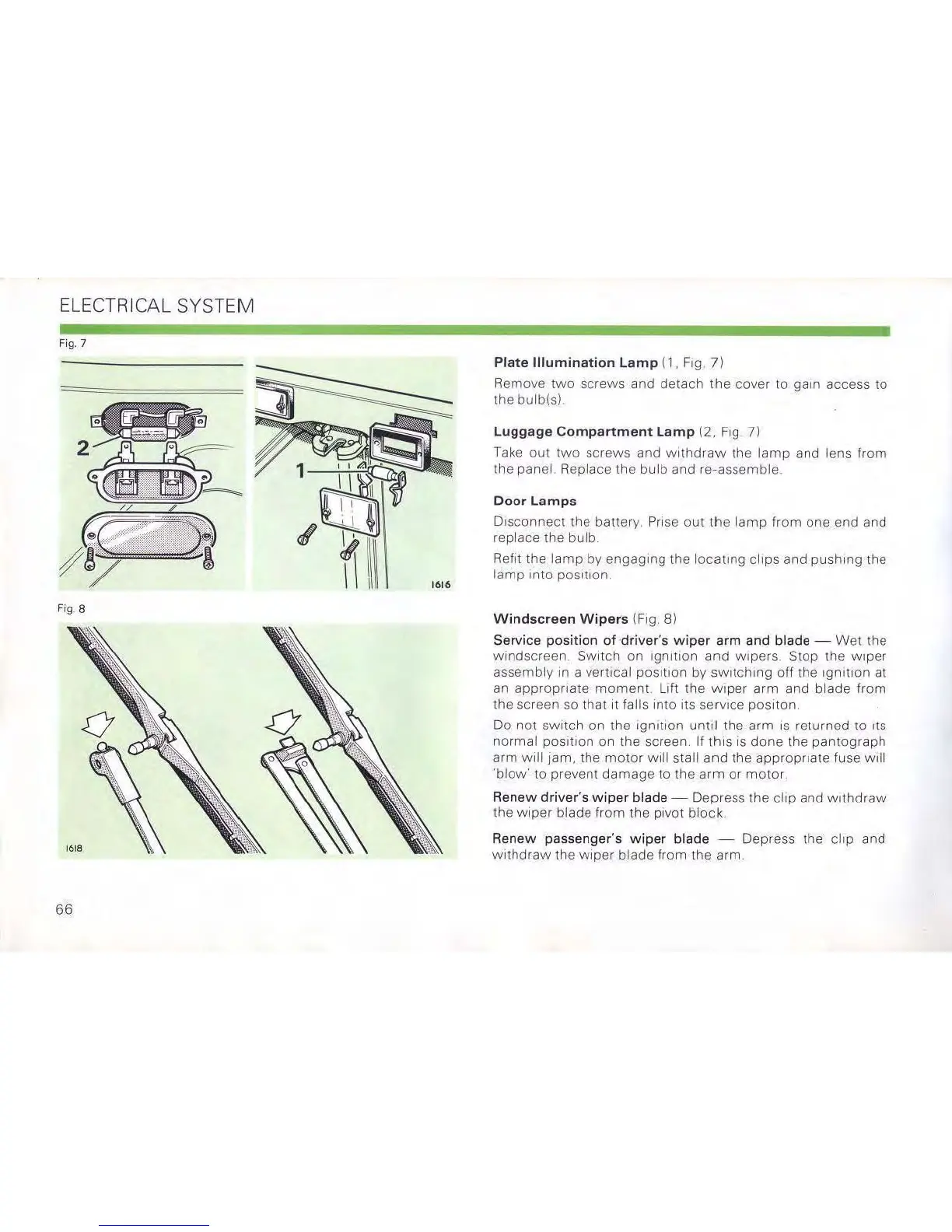
Fig.7
Fig.8
66
Plate Illumination
lamp
(1, Fig
71
Remove
two
screws and detach
the
cover to gam access
10
the
bulb(s)
Luggage
Compartment
lamp
12,
Fig
7l
Take
out
two
screws
and
Withdraw
the
lamp
and
lens
from
the panel Replace the bulb and re-assemble
Door Lamps
Disconnect
the
batlery. Prise
out
the
lamp
from
one
end
and
replace the bulb
Refit the
lamp
by
engaging the
locating
clips and pushing the
lamp
mID
pOSl110n
Windscreen Wipers (Fig, 8)
Service
position
of
driver's
wiper
arm
and
blade
-
Wel1he
windscreen
SWitch
on
Ignition
and
wipers
Stop
the
wiper
assembly
In
a vertical
pOSlllon
by sWitching off the
Ignition
at
an
appropriate
moment.
Lilt
the
wiper
arm
and
blade
from
the screen
so
thaI
it
falls
into
Its service
posllan
Do not sWitch on the Ignition
until
the arm
IS
returned
10
ItS
normal POSition on the screen If thiS
IS
done the pantograph
arm
will
jam, the
motor
will
stall and the appropriate fuse will
'blow'
to prevent damage to the
arm
or
motor.
Renew driver's
wiper
blade - Depress the cliP and Withdraw
the wiper blade from the
PiVOt
block
Renew passenger's
wiper
blade - Depress the clip and
withdraw
the
wiper
blade from the arm.


 To Next Page