Need help?
Do you have a question about the Trixell Pixium 4600 and is the answer not in the manual?
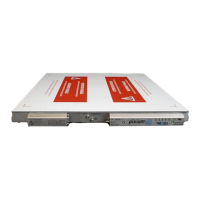
Describes the PIXIUM 4600 as a flat panel X-ray detector for radiological applications.
Details physical components, connectors, and identification labels on the detector housing.
Lists relevant standards, directives, and certifications (UL, CSA, CE) for the detector.
Refers to an external document for manufacturer's declaration guidance.
Covers dimensions, weight, input window specifications, and associated warnings.
Details power supply, synchronization, remote control, data transfer, and protective earth connections.
Describes detector interfacing, self-test, error reporting, and image quality tests.
Explains detector synchronization and lists environmental conditions for transport, storage, and operation.
Mentions required accessories like anti-scattering grid and exposure control devices.
Provides instructions and cautions for unpacking, including acclimatization time.
Discusses cooling requirements, temperature monitoring, and general installation precautions.
Details connecting protective earth, optical fiber, serial link, and power supply cables.
Focuses on power supply cable connection, cautions, and current limitation.
Guides on switching on power supplies, checking LEDs, and detector initialization status.
Explains LED indicators during frame acquisition and X-ray enable pulses.
Covers temperature stability, cooling, and EMC compliance recommendations.
Details integration aspects like mechanical fixation and X-ray generator connection methods.
Specifies warm-up time and defines detector imaging and test modes.
Explains configuration via messages, firmware upgrade, and system-defined calibrations.
Provides detailed definitions for the various detector imaging and test modes.
Addresses troubleshooting for power supply, X-ray enable, temperature, and other failures.
Details service procedures, no user maintenance, and return for repair instructions.
Provides cleaning instructions and notes on sterilization/disinfection limitations.
Provides the manufacturer's name and contact address.
Explains symbols and shows examples of identification and connector labels.
 General
| Brand | Trixell |
|---|---|
| Model | Pixium 4600 |
| Category | Security Sensors |
| Language | English |

 To Next Page