Need help?
Do you have a question about the Trixell pixium EZ3 and is the answer not in the manual?
Overview of the manual's purpose and scope.
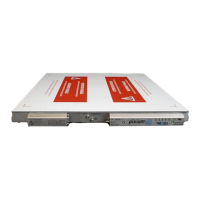
General overview of the pixium EZ3 detector.
Components and features of the pixium EZ3 detector.
Details on what is included in the standard pixium EZ3 delivery.
Standards to which the pixium EZ3 conforms.
List of documents referenced within the manual.
Glossary of terms and acronyms used in the document.
Components needed for installing the pixium EZ3 detector.
Step-by-step instructions for installing the pixium EZ3.
Physical installation aspects and constraints of the detector.
Details on connectors and cabling for the pixium EZ3.
Information about the TDLP link cable for the pixium EZ3.
Description of the detector connector for the EZ3 cable.
Details on connecting the Battery EZ X via CPT.
Diagrams illustrating insulation properties of the pixium EZ3.
Connection details for the X-ray generator.
Specifications for the maximum weight the detector can withstand.
Initial and operational settings for the pixium EZ3 detector.
Measures to prevent mechanical damage in bucky trays.
Procedure for powering on the pixium EZ3 detector.
Explanation of detector LEDs and their status meanings.
Detailed status meanings for the detector's status LED.
Status meanings for the Wi-Fi indicator LED.
Status meanings for the battery indicator LED.
Information on the detector's LCD display and symbols.
Overview of the detector's software capabilities and diagnostics.
Definition of the table mode for the pixium EZ3.
Relationship between physical detectors and acquired images.
Safety guidelines for integrating the pixium EZ3 system.
Safety conditions derived from Hazard Analysis and Risk Management.
Safety conditions derived from Software Hazard and Risk Management.
Security considerations for the pixium EZ3 detector.
Electromagnetic compatibility requirements and guidelines.
Recommendations for using cables and connectors with the pixium EZ3.
Information regarding the laser diode used for data transmission.
Time taken for the detector to achieve full performance from a cold start.
Humidity requirements for operation and storage.
Information on required maintenance and service.
Troubleshooting power supply issues affecting detector operation.
Procedures for diagnosing and resolving other detector failures.
Guidelines for cleaning and processing waste from the pixium EZ3.
Information on recycling and refurbishment procedures for the detector.
Explanation of symbols used on pixium EZ3 identification labels.
Description of various identification labels on the pixium EZ3.
Information on labels not marked with CE by Trixell.
Specifications related to image dimensions and pixel pitch.
Key electro-optical performance parameters of the detector.
Details on the electrical interface and ADC characteristics.
Information on the mechanical interface of the detector.
Specifications for temperature, humidity, and air pressure.
Operating and storage temperature ranges for the detector.
Humidity requirements for storage and operation.
Guidelines for handling vibrations and shocks.
Compliance with major medical electrical equipment standards.
Compliance with EMC standard for medical electrical equipment.
Compliance with standard related to radiation protection.
Compliance with standard for X-ray equipment for radiography.
Compliance with EU medical device regulation.
Compliance with US FDA regulations for X-ray systems.
Key features of the pixium EZ3's RF capabilities.
Detailed technical specifications for RF communication.
Measured EIRP values for RF modules.
 General
| Brand | Trixell |
|---|---|
| Model | pixium EZ3 |
| Category | Security Sensors |
| Language | English |


 To Next Page