11
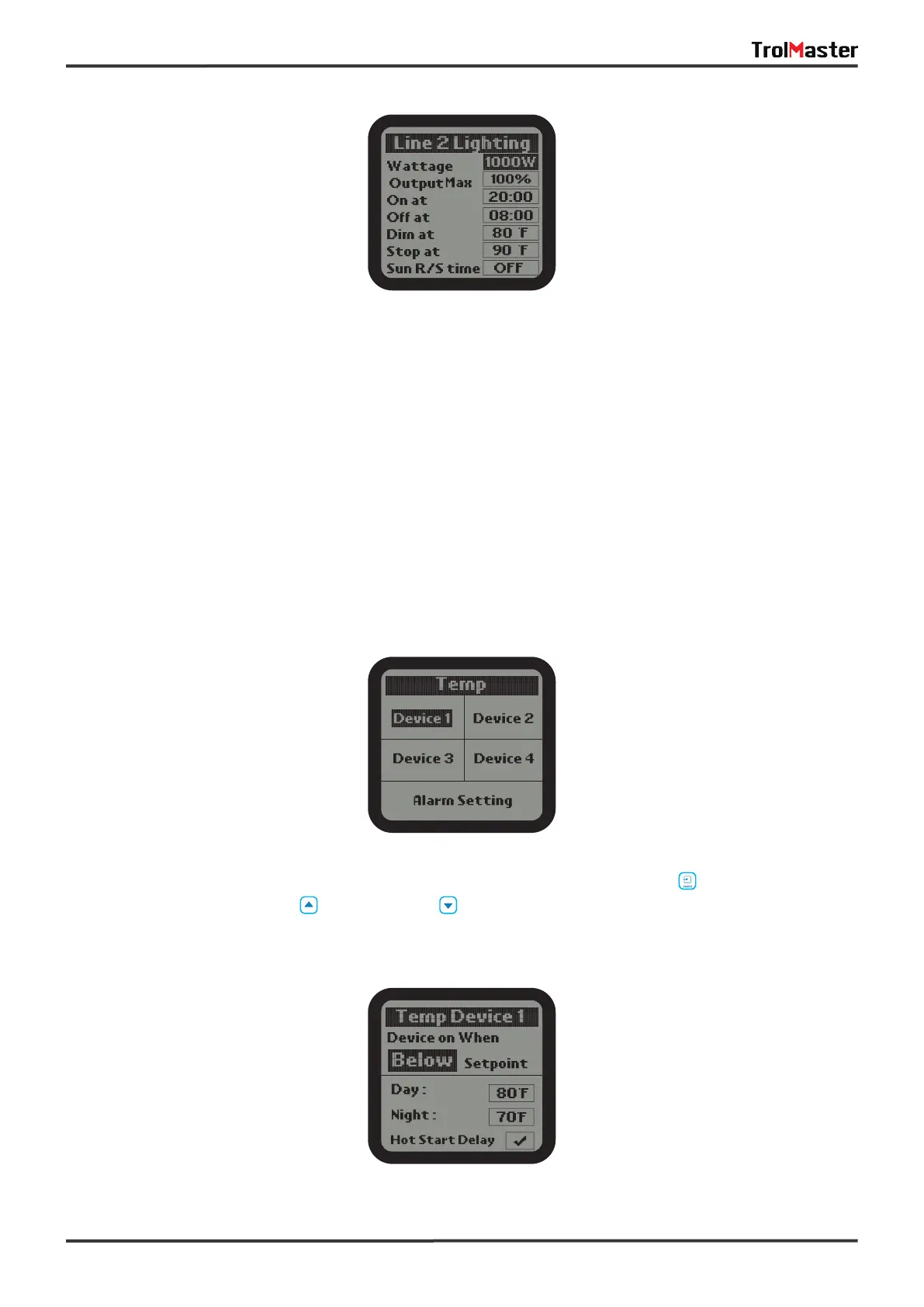
Dim at: Select the temperature you want the lights within each line to dim.
Stop at: The max temperature that the growing area can get to before shutting down the lights. Normally,
set at least 5° F up to 10 degrees F above the "Dim at" setting.
Sun R/S time: simulate Sunrise and Sunset by slowly raising and lowering the lighting level (brightness).
User can select from 0 minute (off) to 30 minutes in 5-minute increments for the Sunrise / Sunset feature.
3). The lighting configurations of Line 2 is same as the setting of Line 1.
Temperature Settings
1). On the Setting page, select the Temp subject and then press ENTER button to access the Temp
setting page. Use the Up button or Down button to select the device or Alarm Setting.



 To Next Page