17
System Settings
The selected item will be highlighted, press ENTER button it will be flashing. Press UP or DOWN button to
change the time and press ENTER button to save your change. The number of times (frequency) starts from
1 to 100.
By Schedule:
On: The start time of continuous working time of the Program Device 1.
Off: The finish time of continuous working time of the Program Device 1.
By Recyle:
Start: The start time of cycle working time of the Program Device 1.
ON Time: The duration of working time per cycle for the Program Device 1.
OFF Time: The duration of non-working time per cycle for the Program
Device 1.
Times: the number of times of the daily working cycle.
The setting procedure of other Program Device Stations is same as above.
*NOTE: lf the total cycle time exceeds 24 hours, the maximum cycle times will be reduced automatically.
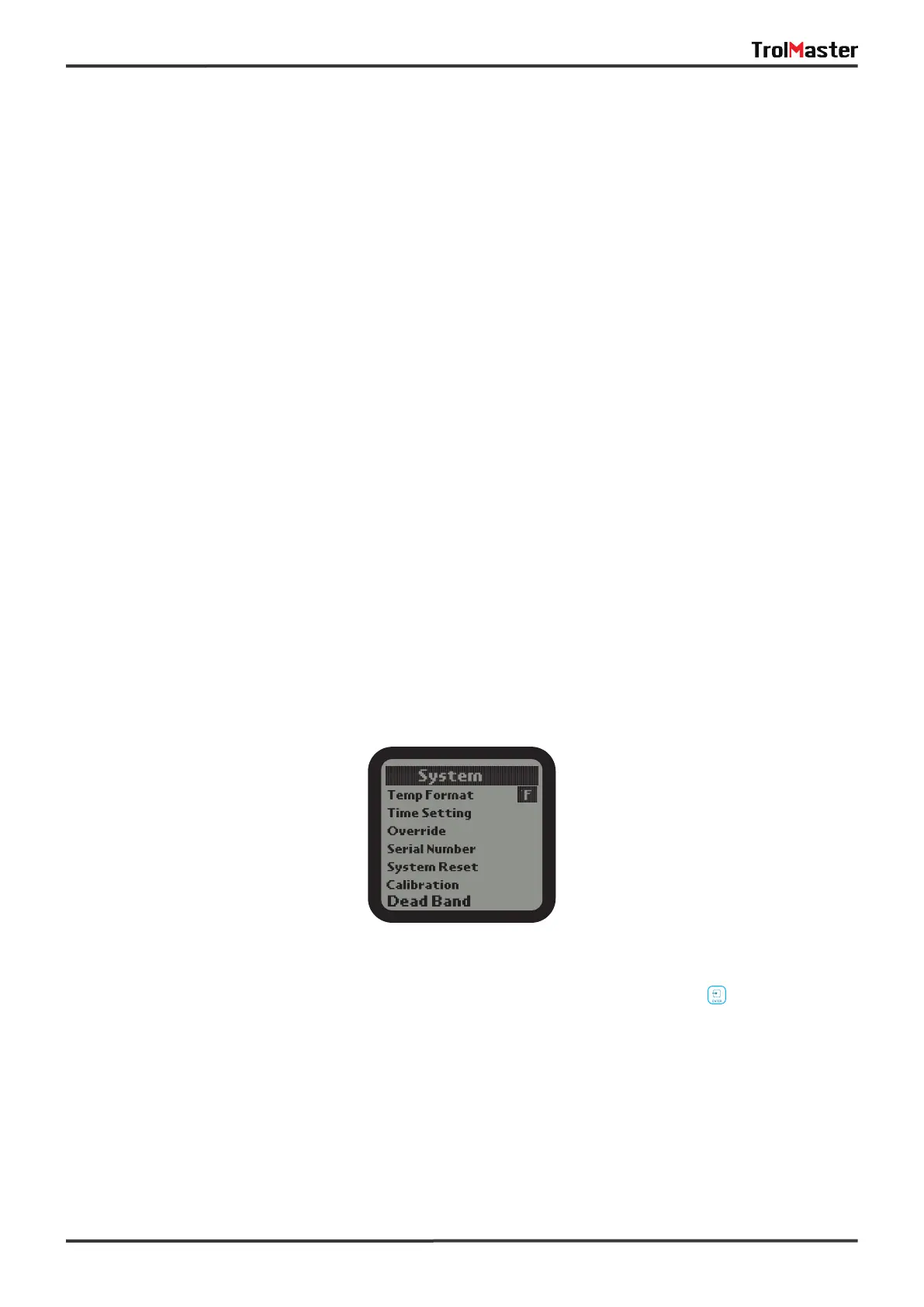
1).On the Setting page, select the System subject and then press ENTER button to confirm your
selection. There are 6 subjects:
Temp Format: Select whether to display F or C for temperature measurements.
Time Setting: Enter the time setting page.
Override: Enter the Override page.
Serial Number: Show the device serial number.
System Reset: Enter the system reset page.
Calibration: Enter the temperature humidity and CO2 sensor calibration page.
DeadBand: Enter the temperature humidity and CO2 deadband setting page.


 To Next Page
 Loading...

