4. Light Connection
a). For HlD Lights:
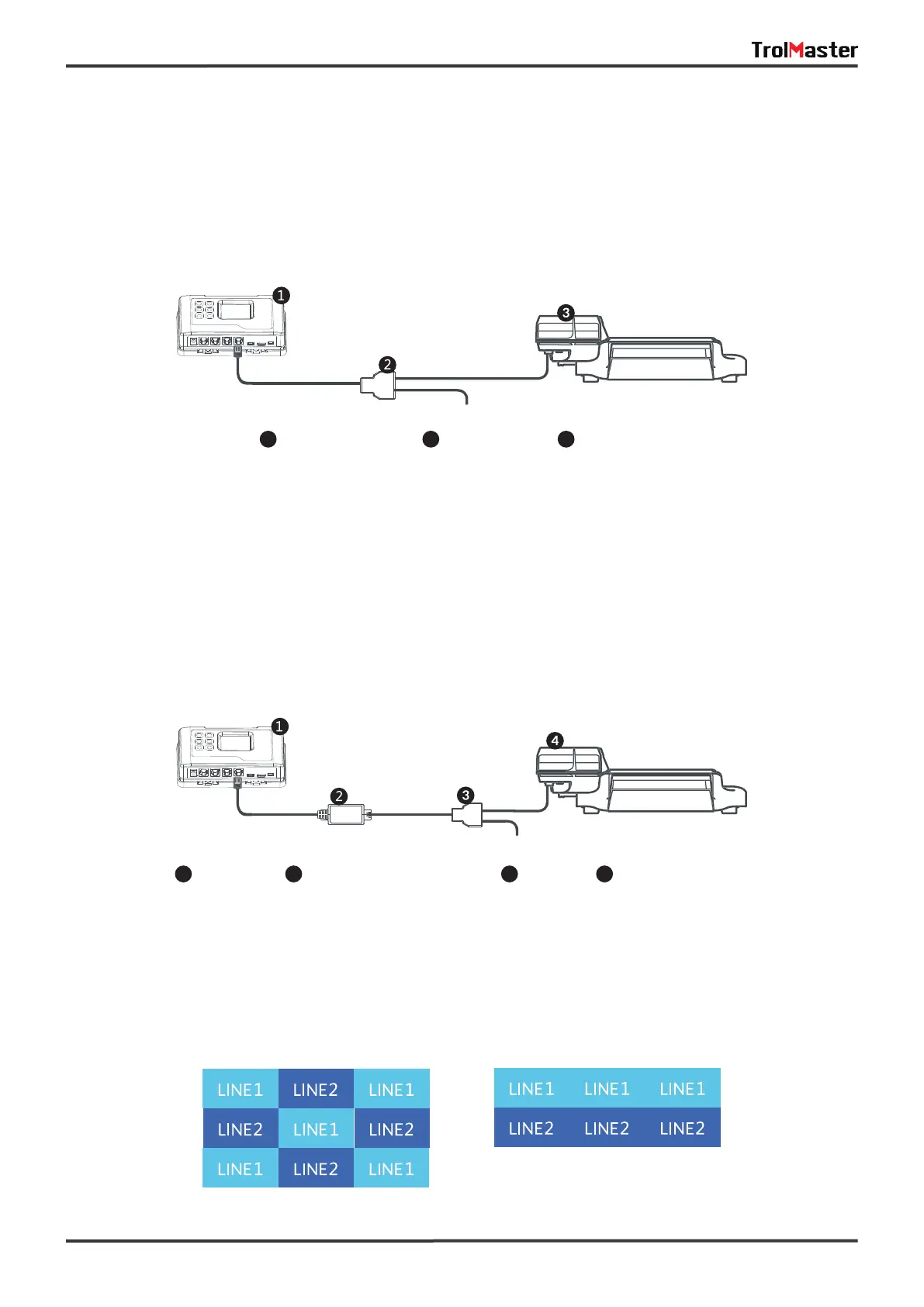
Connect the cable going from LlNE 1 to the first digital ballast to be connected. Use the T-shape splitter and
short RJ cable so that the first cable can continue on to be connected to the next T-shape splitter (ballast)
to be connected. Repeat this process until all ballasts (fixtures) are connected to the LINE 1. Connect more
lights through the LlNE 2 port. Repeat the same procedure on LINE 2.
b). For Traditional Lights:
If connected to traditional lights which are controlled by analog signal (0-10v) such as Gavita fixtures, a
lighting control adapter (signal converter) is necessary to convert the digital signal into analog signal. The
connection is similar as above but with a signal converter connected between ballast and controller. First,
connect the signal converter to the LlNE 1 or LlNE 2 connector and then connect to a splitter on the other
end, Finally, use another RJ12 cable to connect between the splitter and the analog ballast. See the
connection diagram.
Each line can be set up to be a "staged" dimming zone. In other words, each zone has its own independent
dimming temperature setting as well as the dimming action. Having 2 lines allows the user to create
multiple lighting layouts (and dimming sequences) based on their individual preferences. Some examples
are shown below.
05
1
2
3
Controller Splitter HID Lights
1
Controller
2
Lighting Control Adapter
3
Splitter
4
Traditional Lights


 To Next Page
 Loading...


