Main Menu
08
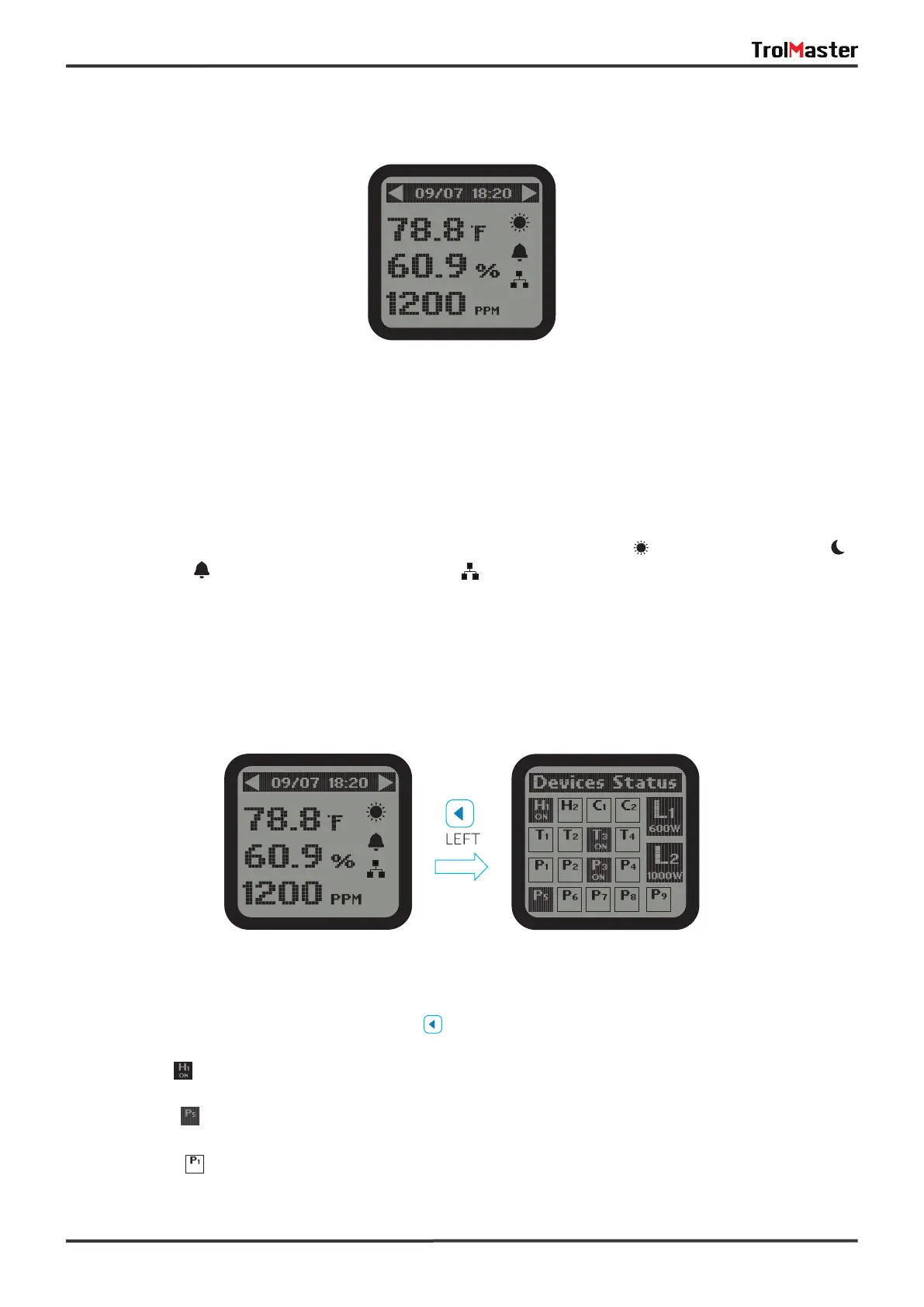
1).The main menu displays three elements:
Temperature Value (°F) eg: 78.8°F Humidity Value (%) eg: 20.2% CO2 Level (PPM) eg: 1200 PPM
The top title bar indicates current date & time:
Month/Date eg: 09/07 Hour/Minute eg:18:20 Day Mode Night Mode
Alarm Activated Internet Connected No Network Connection (no icon)
*NOTE: Download the TrolMaster app from App Store or Google Play.
Main Menu page
Devices Status page
2). On the Main Menu page, press LEFT button to get access to Devices Status page. The screen will
show devices in 3 states.
a). State One: Highlighted and with “ON" indicates the device is connected and under working condition
(activated).
b). State Two: Highlighted and without "ON" indicates the device is connected but not under working
condition (standby).
c). State Three: Non-highlighted indicates no device station is connected to this address.



 To Next Page