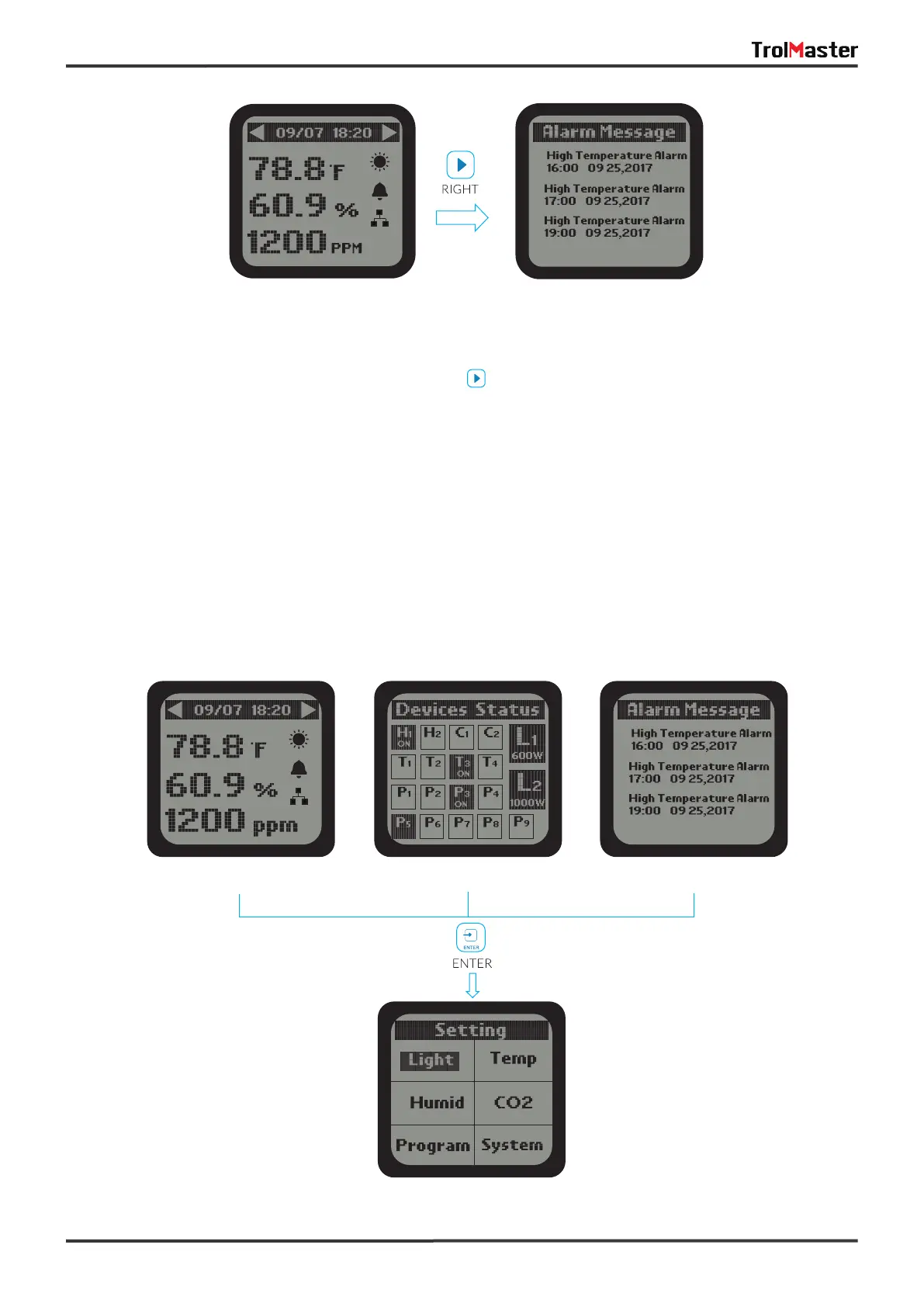
Setting Page
09
Main Menu page Devices Status page Alarm Message page
3). On the Main Menu page, press the RlGHT button to get access to Alarm Message page. The LCD
screen will show records of all alarm messages.
*NOTE:
a). On the Devices Status page, the device states are not suitable to lighting devices. The LCD screen will
display the lighting status for two lighting lines L1 & L2.
b). Do not remove the Micro-SD card in the main screen (showing Temperature, Humidity & CO2 ).
Otherwise, it is easy to cause damage to the card.
Main Menu page Alarm Messge page



 To Next Page