Need help?
Do you have a question about the Tronsmart FORCE MAX and is the answer not in the manual?
Buttons for adjusting volume and navigating music tracks.
Button and indicator for True Wireless Stereo pairing.
LED indicators for Bluetooth and EQ modes.
Buttons for power management, mode switching, and EQ effects.
Button for controlling playback and calls.
Connect external audio devices via 3.5mm jack.
Slot for playing music from memory cards.
Supports USB drives for playback and power bank output.
Port for charging the speaker with a Type-C cable.
Instructions for turning the speaker on and off using the power button.
How to change modes and reset the device via the mode button.
How to select different sound equalization modes.
Control music playback and manage phone calls.
Adjust volume and skip tracks forward or backward.
Step-by-step guide to connect two speakers for TWS.
Understanding the indicator lights during TWS pairing.
How to disable TWS mode by pressing the pairing button.
List of items included in the speaker package.
Details on USB power bank, Aux-in, TF card, and USB drive modes.
Information on automatic shutdown to save power.
Instructions for cleaning and maintaining the speaker.
Details on the product's warranty coverage.
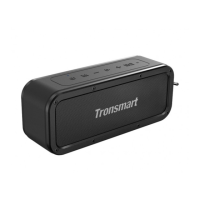
Key technical details of the Tronsmart Force Max speaker.
Compliance statement regarding radio frequency interference.
Statement on the device's RF exposure evaluation.
Contact information for SHENZHEN GEEKBUY E-COMMERCE CO., LTD.
FCC ID, certifications, and manufacturing origin.
 General
| Brand | Tronsmart |
|---|---|
| Model | FORCE MAX |
| Bluetooth Version | 5.0 |
| Waterproof Rating | IPX6 |
| Signal-to-Noise Ratio | ≥ 80dB |
| Charging Time | 4 hours |
| Frequency Range | 20Hz - 20KHz |
| Bluetooth Range | 18m |
| Power Supply | DC 5V/2A |
| Connector Type | USB-C |
| Features | Voice Assistant |

 To Next Page