Need help?
Do you have a question about the Trotec PAC 2100 X and is the answer not in the manual?
Explains warning symbols used in the manual for safety and information.
Instructions for safe operation, including reading the manual and general warnings.
Detailed safety instructions for handling devices with R290 refrigerant.
Defines the correct application and prohibits incorrect usage of the device.
Specifies the required qualifications for operating and maintaining the device.
Information on obtaining and following the repair manual for qualified personnel.
Instructions on device labels and the importance of keeping them legible.
Details dangers like electrical voltage, flammability, and general hazards.
Steps to take in case of an emergency, including power disconnection.
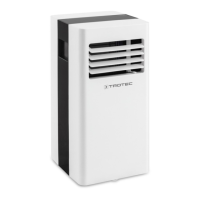
Explains the purpose, cooling, ventilation, and dehumidification functions of the air conditioner.
Procedures for safely transporting and storing the device to prevent damage.
Covers unpacking, scope of delivery, and initial setup procedures.
Detailed steps for connecting the exhaust air hose to the device.
Instructions on inserting the air filter before operating the device.
Recommendations for discharging exhaust air, including window installation.
Guidelines on hose positioning, avoiding kinks, and dimensions for optimal performance.
Steps to open ventilation flaps and connect the power cable before use.
Overview of operating elements and how to switch the device on and off.
Instructions for selecting cooling mode and adjusting target temperature.
How to activate dehumidification mode and its limitations.
Steps to connect a condensation drain hose for continuous water removal.
How to switch the temperature display between Celsius and Fahrenheit.
Explanation of ventilation mode, fan speed, and removing the exhaust hose.
Overview of remote control buttons, display, and basic operations.
How to save preferred settings and return to previous configurations.
Using the remote control to measure temperature at the user's location.
Setting automatic switch-on and switch-off timers for the device.
Configuring automatic operation and the special night mode for comfort.
How to switch the control panel illumination on or off using the remote.
Details on memory function, energy saving, and automatic defrost.
Steps for safely switching off the device and preparing for storage.
Systematic checks for common problems like no start, poor cooling, noise, or leaks.
Troubleshooting steps when the device does not respond to the infrared remote.
List of error codes, their causes, and recommended remedies.
Recommended intervals for checking, cleaning, and replacing parts.
A section to record maintenance activities, dates, and signatures.
Critical safety warnings before performing maintenance, especially regarding electrical voltage and refrigerant.
How to clean the device exterior safely without damaging components.
Step-by-step guide for removing, cleaning, and reinserting the air filter.
Manual draining process for condensate, including initial steps.
Required steps after maintenance, including resting period and reconnection.
Key technical specifications and dimensions for PAC 2100 X and PAC 2600 X models.
 General
| Type | Monobloc mobile air conditioner |
|---|---|
| Timer type | Digital |
| Hose length | 1.5 m |
| Noise level | 63 dB |
| Hose diameter | 148 mm |
| Number of speeds | 2 |
| Airflow (high speed) | 319 m³/h |
| Refrigerating medium | R290A |
| Comfort sleeping mode | Yes |
| Cooling capacity (max) | 7000 BTU/h |
| Dehumidifying capacity | 1 l/h |
| Timer duration (maximum) | 24 h |
| Air conditioner functions | Cooling, Dehumidifying, Ventilating |
| Cooling temperature range | 17 - 35 °C |
| Refrigerating medium weight | 130 g |
| Suitable for room volume up to | 65 m³ |
| Cooling capacity in watts (max) | 2000 W |
| Cooling capacity in watts (nominal) | - W |
| Cooling energy efficiency (EER, W/W) | 2.7 |
| Heating energy efficiency (COP, W/W) | - |
| AC input voltage | 220-240 V |
| AC input frequency | 50 Hz |
| Energy efficiency class (cooling) | A |
| Hourly energy consumption (cooling) | 1.1 kWh |
| Hourly energy consumption (heating) | - kWh |
| Display type | LED |
| Product color | Black, White |
 Weight and Dimensions
| Depth | 355 mm |
|---|---|
| Width | 345 mm |
| Height | 703 mm |
| Weight | 22500 g |

 To Next Page